Inorva LifeTalk to your day
Voice-first day plannerArabic & EnglishNewFocus timer, music & Spotify

Say it, it's handled.

Inorva Life is an AI voice planner for Android. Mention the dentist on Tuesday, the call you keep forgetting or the run you just finished, and it lands in your calendar, your tasks or your habits with a reminder already set. In Arabic, English, or both. No forms, no date pickers.
  • Hold one key and talk
  • Arabic, English, or both at once
  • Every action comes with Undo
Get it onGoogle PlayComing soonApp StoreSoon
30 days freeNo card neededNo ads, ever
FHAPTLoved by early testers in Cairo, Dubai, London and beyond
9:41
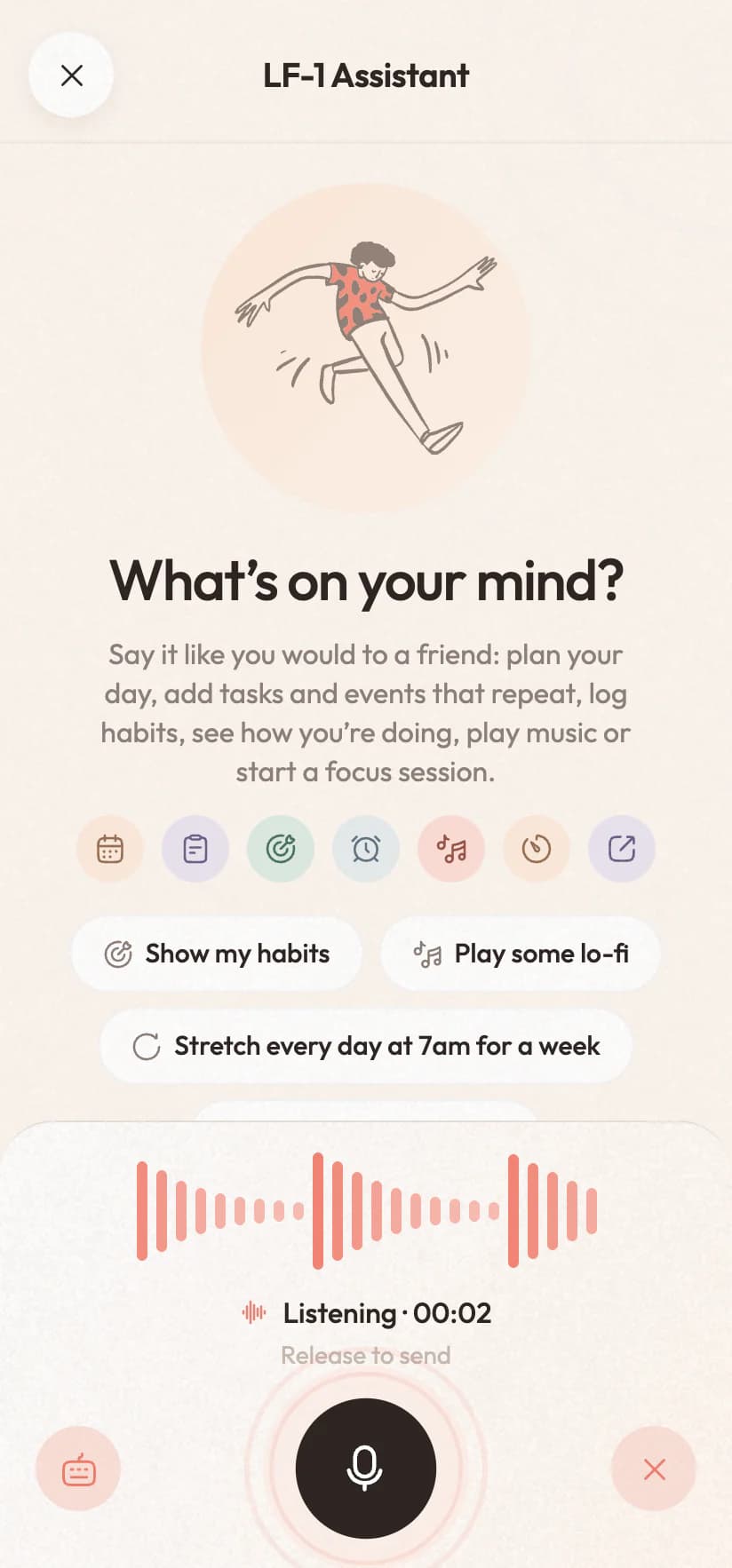
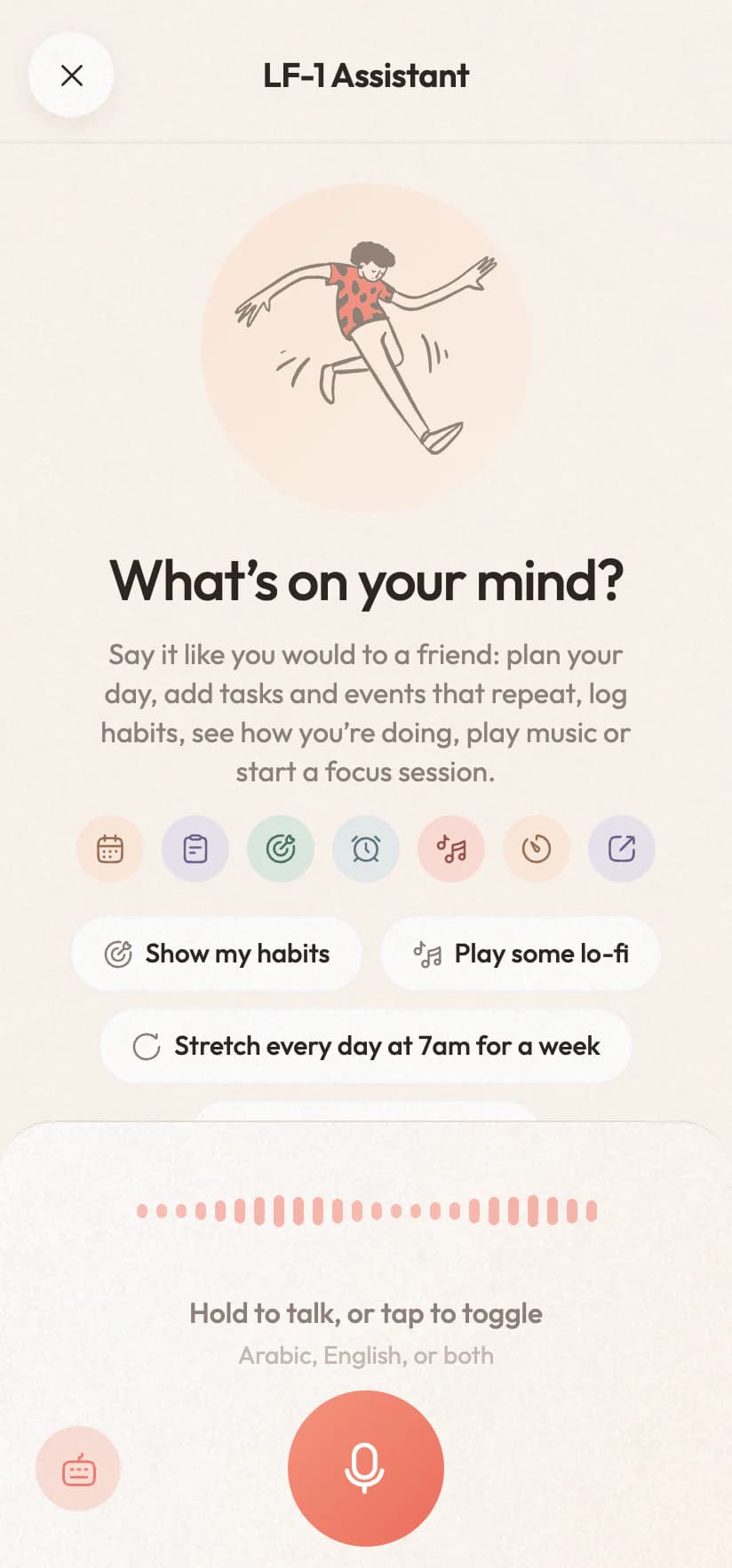
The Inorva Life assistant waiting for you to talkThe Inorva Life assistant waiting for you to talk
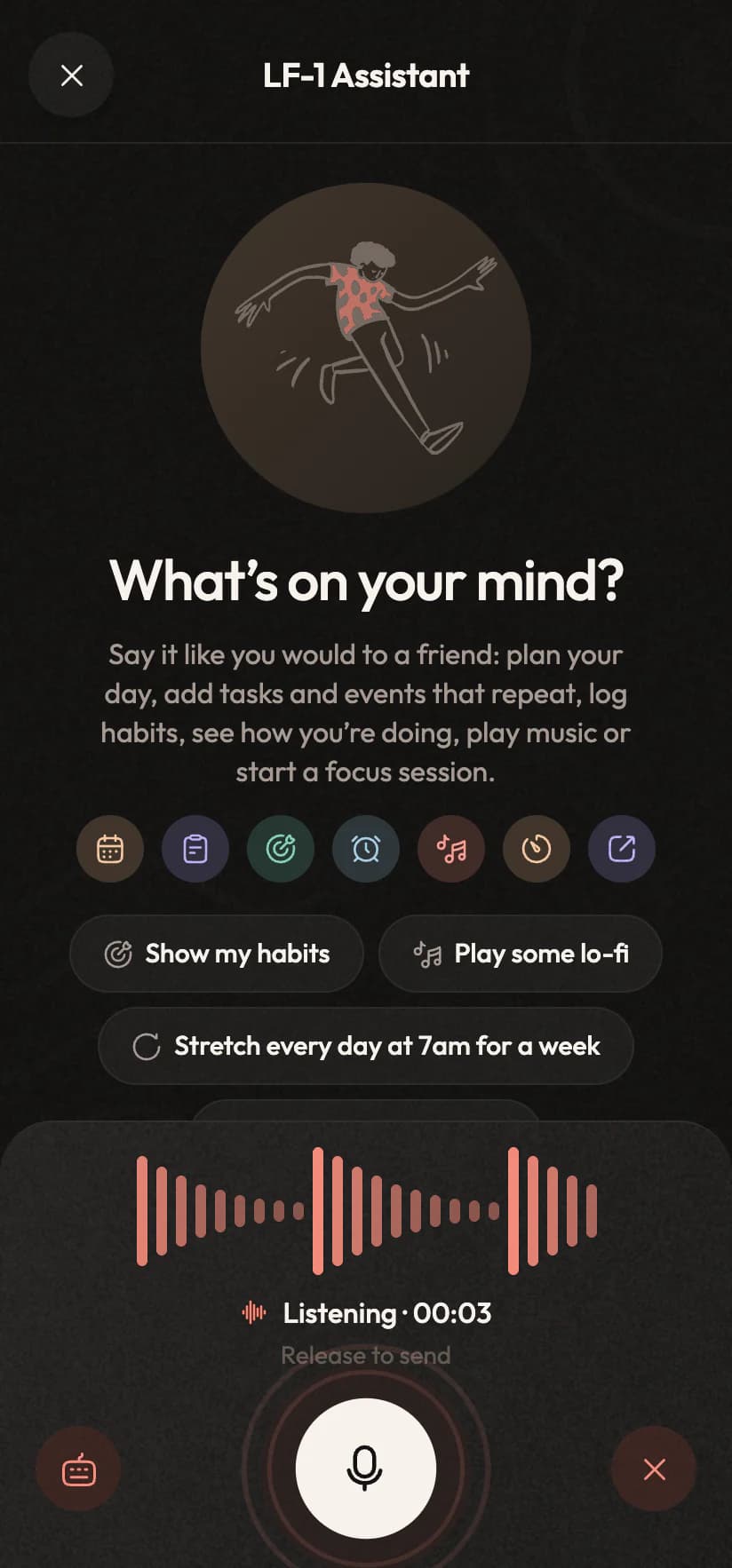
The assistant listening, with a live waveformThe assistant listening, with a live waveform
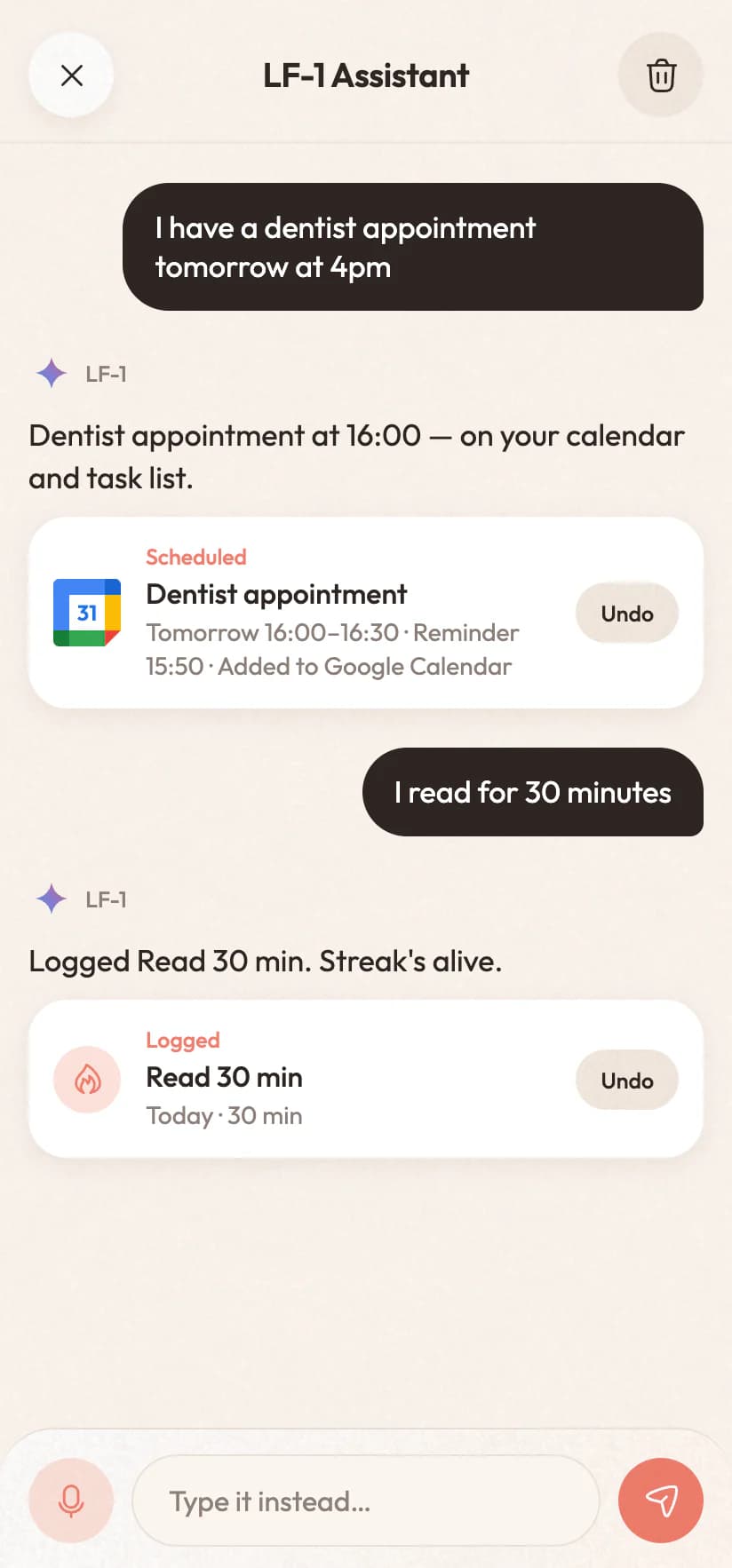
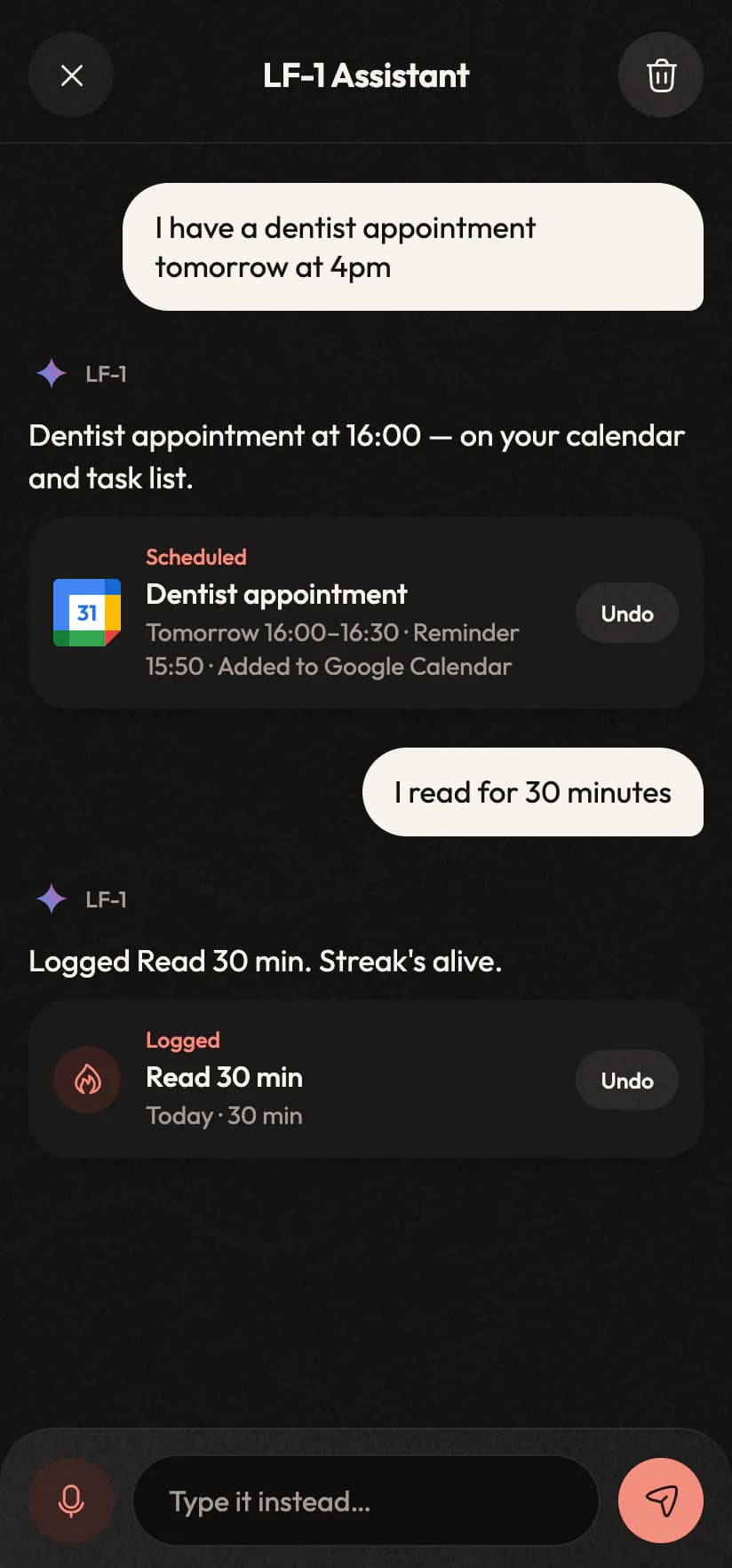
The assistant after two sentences: a dentist appointment booked and a habit logged, each with UndoThe assistant after two sentences: a dentist appointment booked and a habit logged, each with Undo
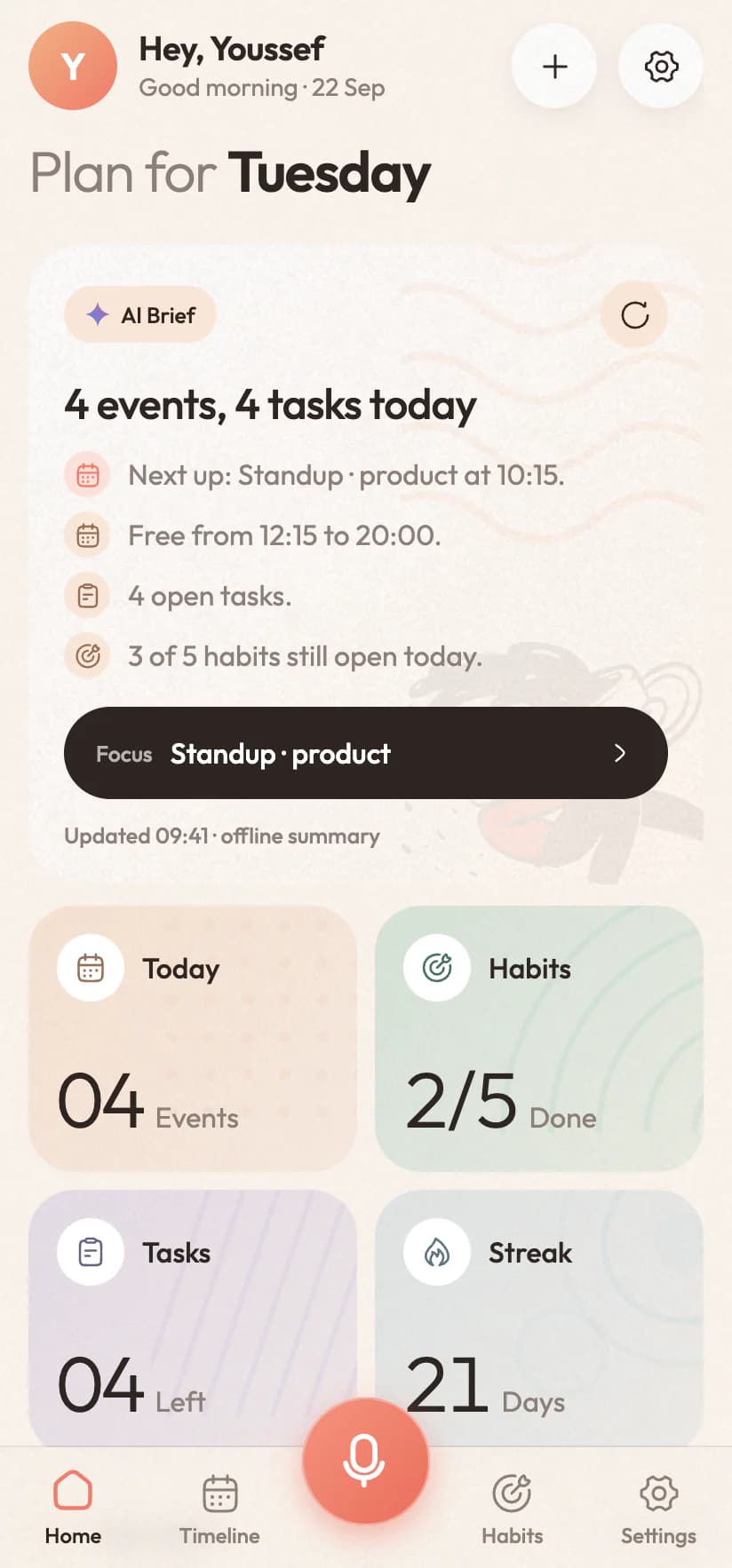
Inorva Life home screen: the day's plan, the AI Brief with a free stretch in the afternoon, and four stat tilesInorva Life home screen: the day's plan, the AI Brief with a free stretch in the afternoon, and four stat tiles
Hold the key…
0 secfrom a thought to your calendar
0languages, in the same sentence
0ads, trackers or advertising IDs
$0a month once the free month ends
Why planners quit on you

The app isn't the problem. The paperwork is.

Every planner you have downloaded worked beautifully for about nine days. Then a Wednesday happened: a meeting moved, a parcel needed collecting, and the thing you remembered while driving was gone by the time you had a free hand. You never lacked discipline. Those apps just made you do the filing.

Every other planner
Adding one dentist appointment
0taps0sec
Fine, let's add it
  1. 1Unlock and find the appThird screen, second folder+2 · 4s
  2. 2Find the right tabCalendar? Tasks? Inbox?+1 · 3s
  3. 3Tap the plusA blank form opens+1 · 1s
  4. 4Type the titleOne thumb, autocorrect fighting you+1 · 7s
  5. 5Scroll the date wheelPast it. Back. There.+2 · 5s
  6. 6Scroll the time wheelAM or PM?+2 · 5s
  7. 7Pick a list or calendarWork, personal, shared…+1 · 3s
  8. 8Set a reminderAnother menu, another wheel+2 · 4s
  9. 9Save, and hopeDid it sync? Which account?+1 · 2s
Inorva Life
The same appointment
1 step
“I have a dentist appointment Tuesday at four.”
Held the key for 3 seconds
The difference, so far
Taps
0 usual
0 Inorva Life
Seconds
0 usual
0 Inorva Life
Already done. Still waiting on the other one.

Inorva Life removes the filing. You say the sentence you were already thinking and it does the rest: the date maths, the reminder, the calendar entry, the habit tick.

How it works

Three seconds of talking. That's the whole workflow.

No set-up weekend, no template to choose, no system to learn. You say a thing and your day is different. Here's everything that happens in between.

01

Hold the key and talk

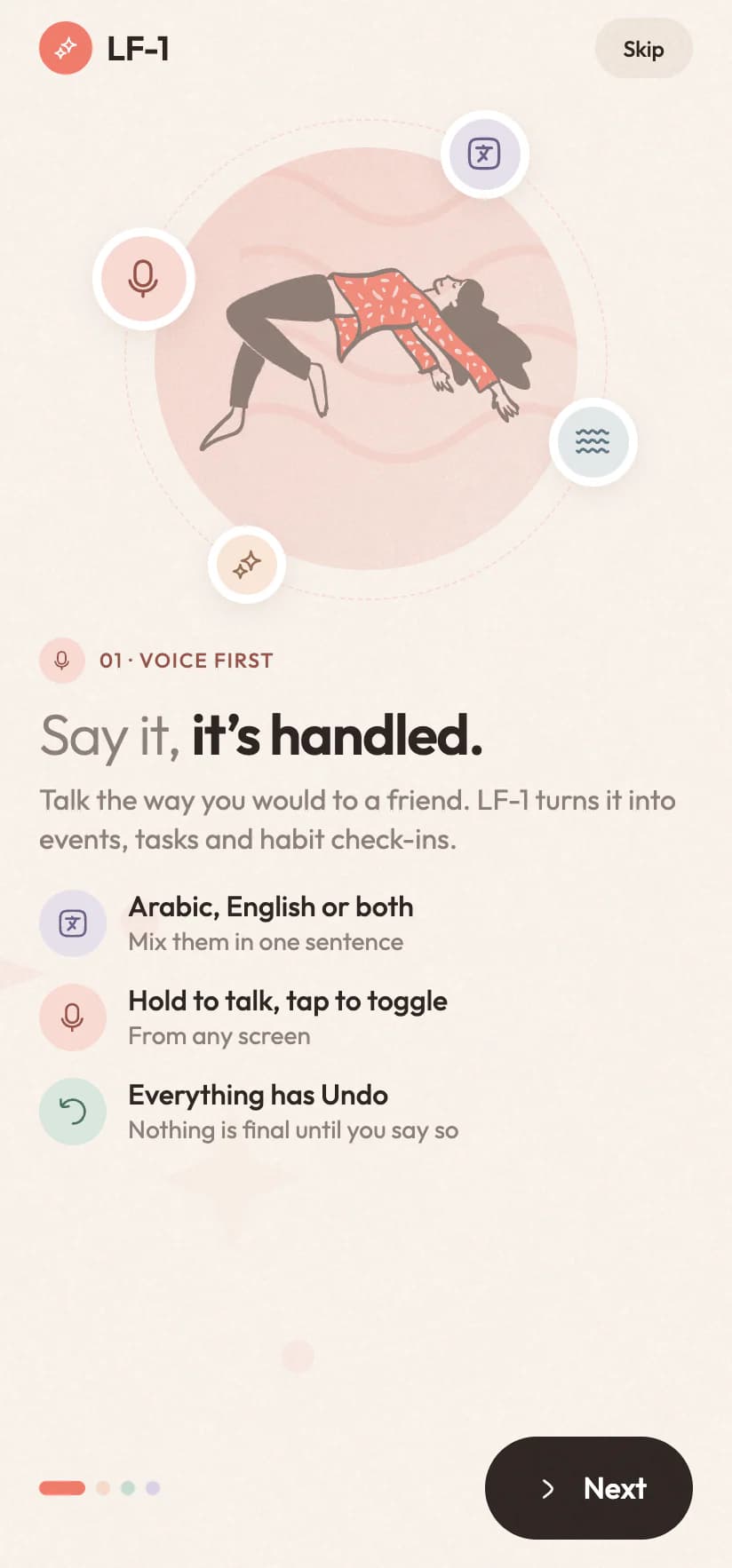
One round key sits at the bottom of every screen. Hold it and speak, or tap once to start and again to send. Arabic, English, or both halfway through a sentence: it follows either way.

Hold like a walkie-talkieOr type the same sentenceMix both languages freely
9:41
The assistant listening, with a live waveformThe assistant listening, with a live waveform
What you said
“
Listening · 00:03
EnglishالعربيةBoth at once
02

It works out what you meant

"Tomorrow at 4" becomes a real date and time. "I read for 30 minutes" finds the reading habit you already have instead of making a new one. If it genuinely isn't sure, it asks before it does anything.

Dates and times resolvedMatches your existing habitsAsks when it's unsure
9:41
The assistant after two sentences: a dentist appointment booked and a habit logged, each with UndoThe assistant after two sentences: a dentist appointment booked and a habit logged, each with Undo
What it understood
  • WhatDentist appointment
  • WhenTomorrow, Wed 23 Sep
  • Time16:00 to 16:30
  • Reminder15:50, ten minutes before
  • 31WhereGoogle Calendar
03

Your day rearranges itself

The event lands in Google Calendar with a nudge before it starts. The task joins today's list with its due time. The habit gets its tick and the streak moves up one. Guessed wrong? One tap on Undo.
Into your real calendarReminder already setUndo on every change
9:41
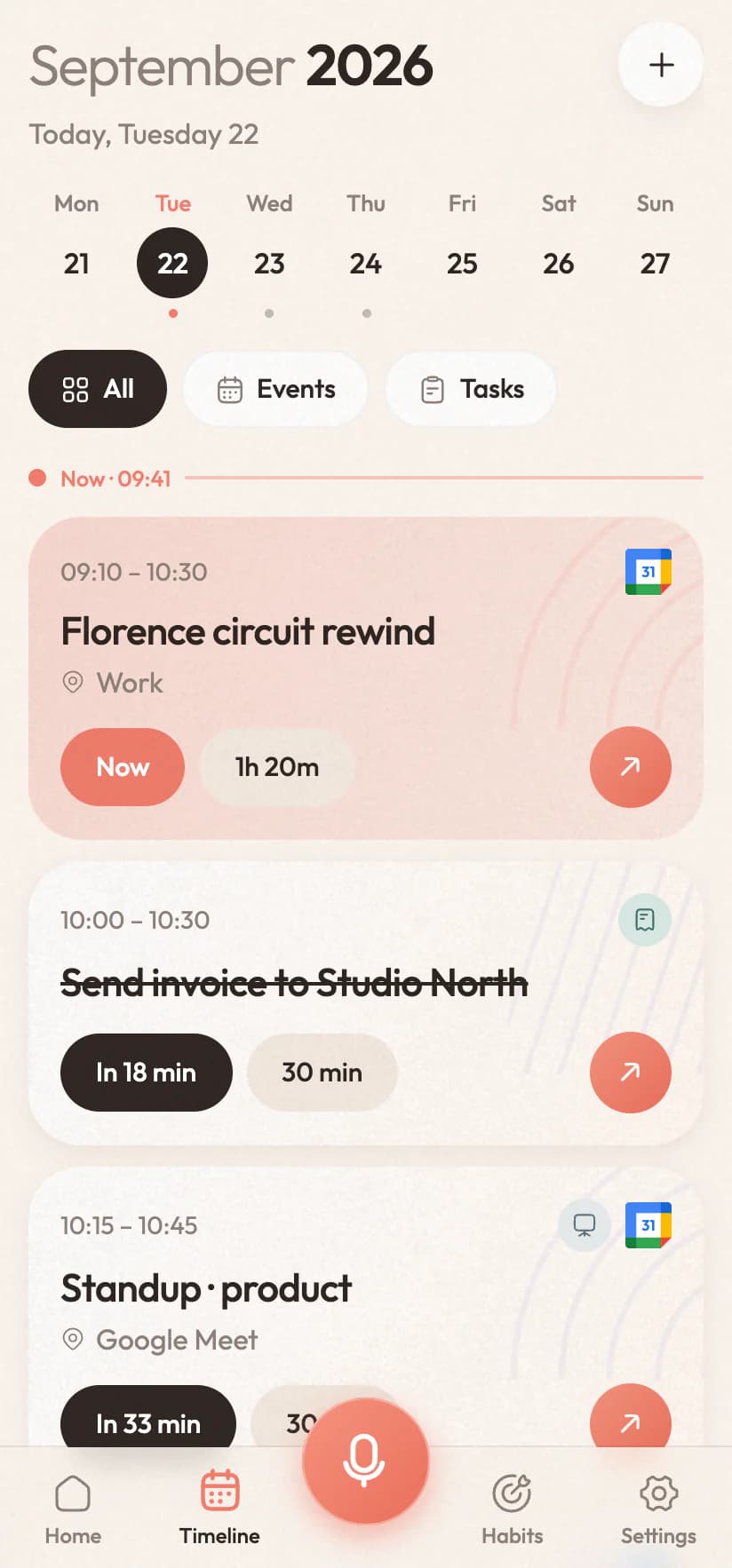
The timeline: a week strip and today's events and tasks in orderThe timeline: a week strip and today's events and tasks in order
Where it landed
  • 31Event in Google CalendarVisible to anyone you share it withUndo
  • Reminder at 15:50Survives a restart overnightUndo
  • Read 30 min, loggedStreak moves up to 6 daysUndo
New in Inorva Life 1.1

More than a planner. Now it keeps you company.

A focus timer with a tomato you twist. Rain, lo-fi and piano to work to, or your own Spotify. A flame for every streak you keep, a look for everything you plan, and an assistant that gets a lot more done with one sentence. Scroll through what's new.

The assistant

One sentence, a lot more done.

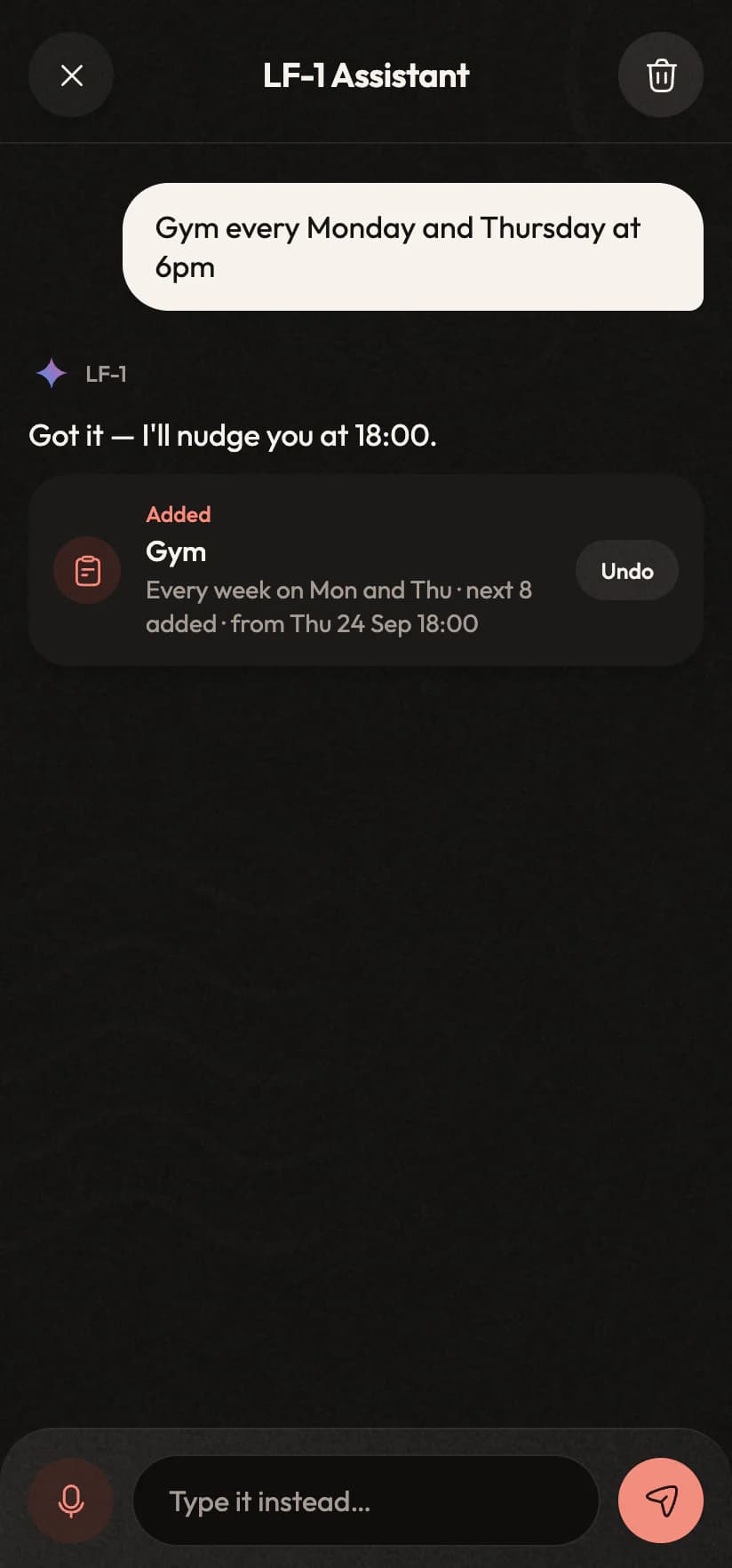
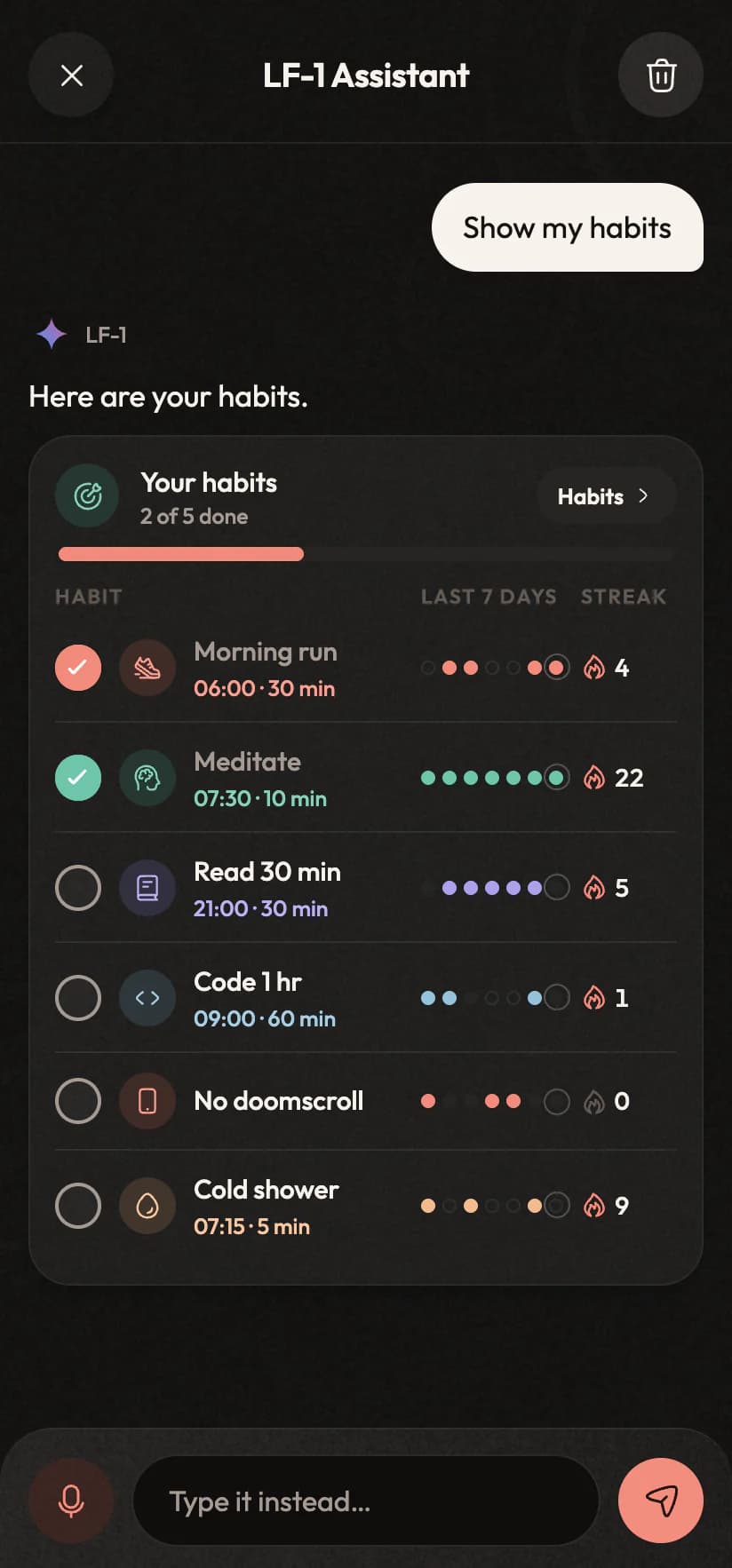
It always booked the dentist and logged your run. Now it also sets up things that repeat, answers with live cards you can tick off in the chat, and starts the music or the timer. In Arabic, English or both, and every change comes with Undo.

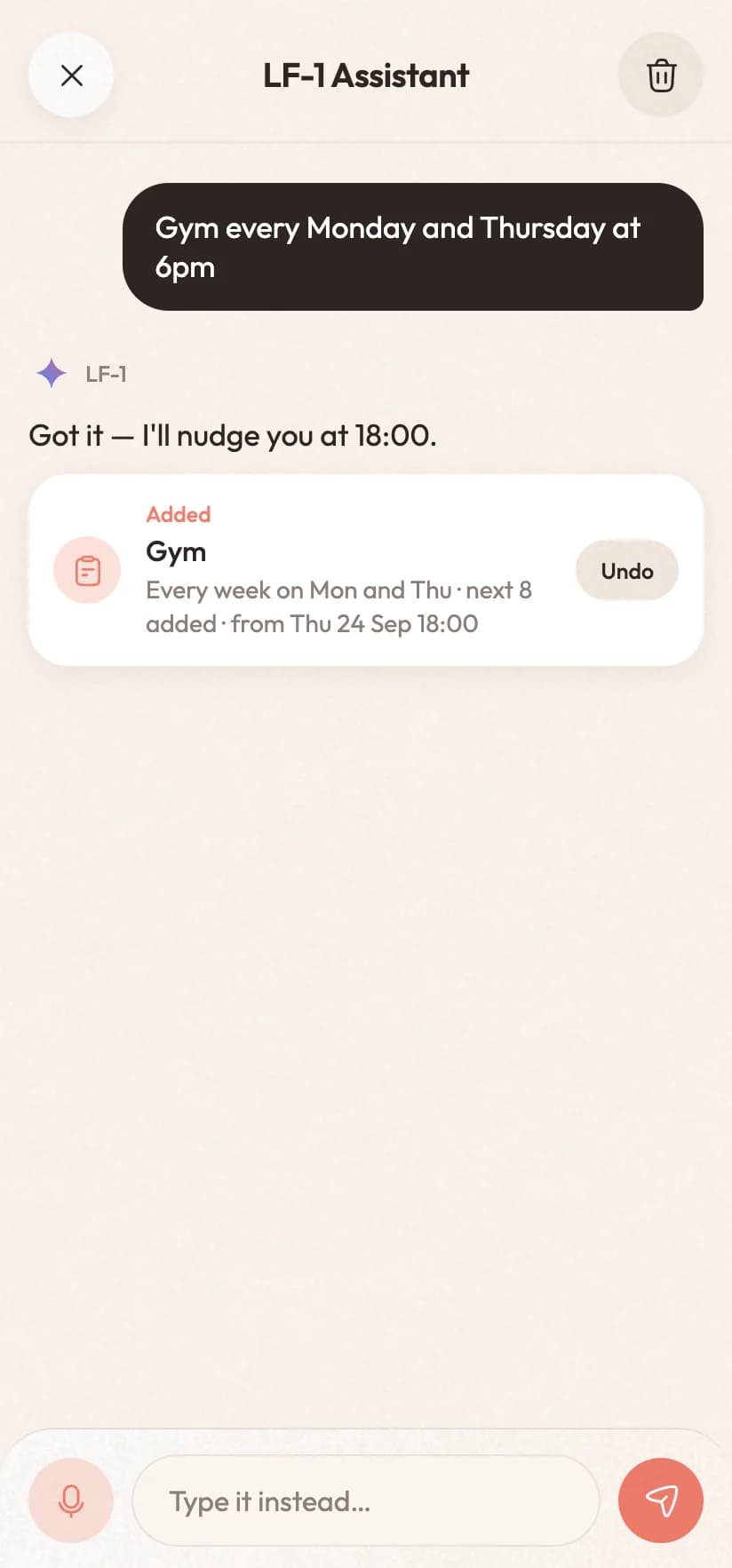
“Gym every Monday and Thursday at 6pm”

A weekly routine on Mondays and Thursdays, reminders already set
9:41
The assistant adding “Gym every Monday and Thursday at 6pm”, repeating weekly, with UndoThe assistant adding “Gym every Monday and Thursday at 6pm”, repeating weekly, with Undo
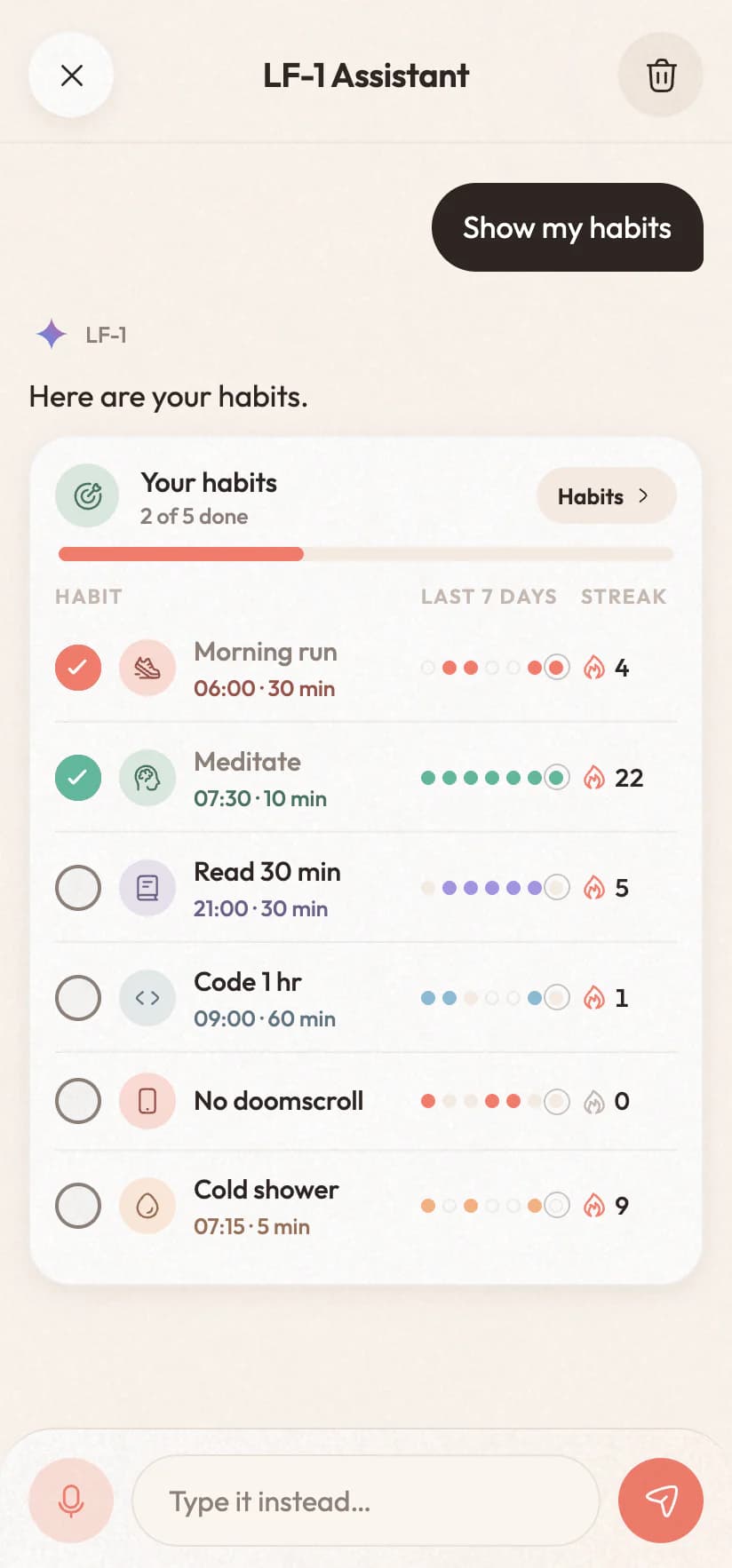
“Show my habits”

A live card of every habit, its week and its streak: tick them off right there
9:41
The assistant answering “Show my habits” with a live card of every habit, its last seven days and its streakThe assistant answering “Show my habits” with a live card of every habit, its last seven days and its streak
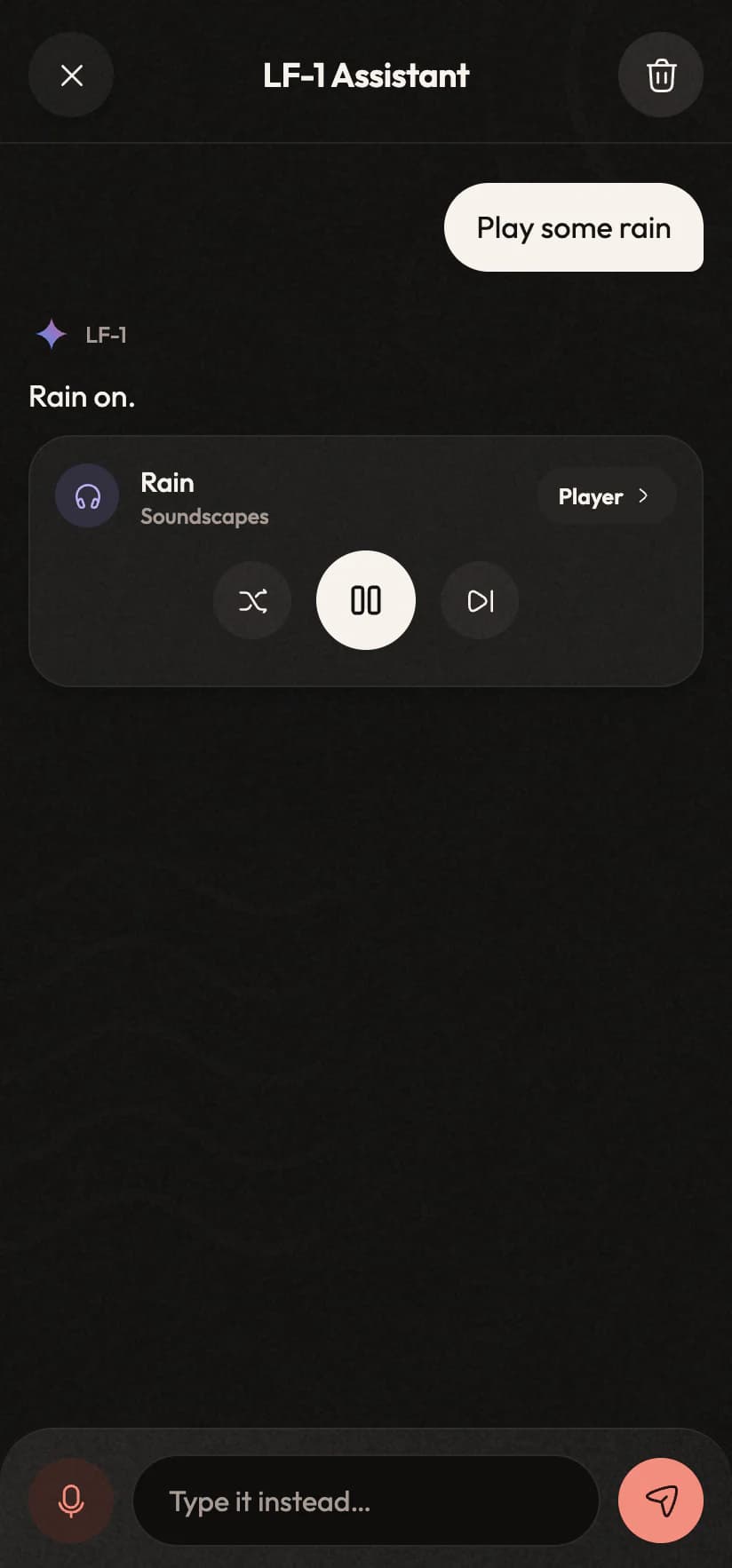
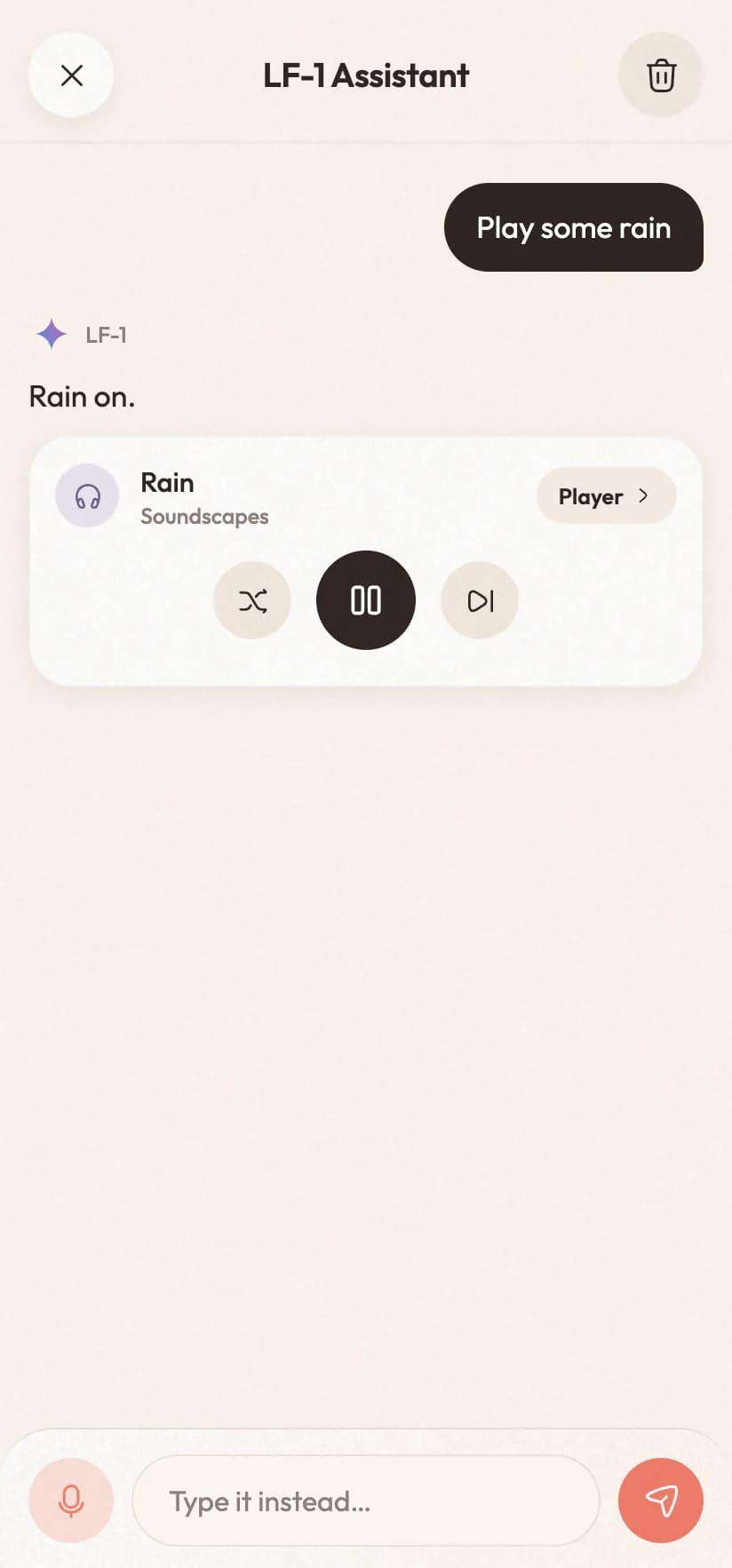
“Play some rain”

Rain starts playing, with a player you can control from the chat
9:41
The assistant answering “Play some rain” with a player cardThe assistant answering “Play some rain” with a player card
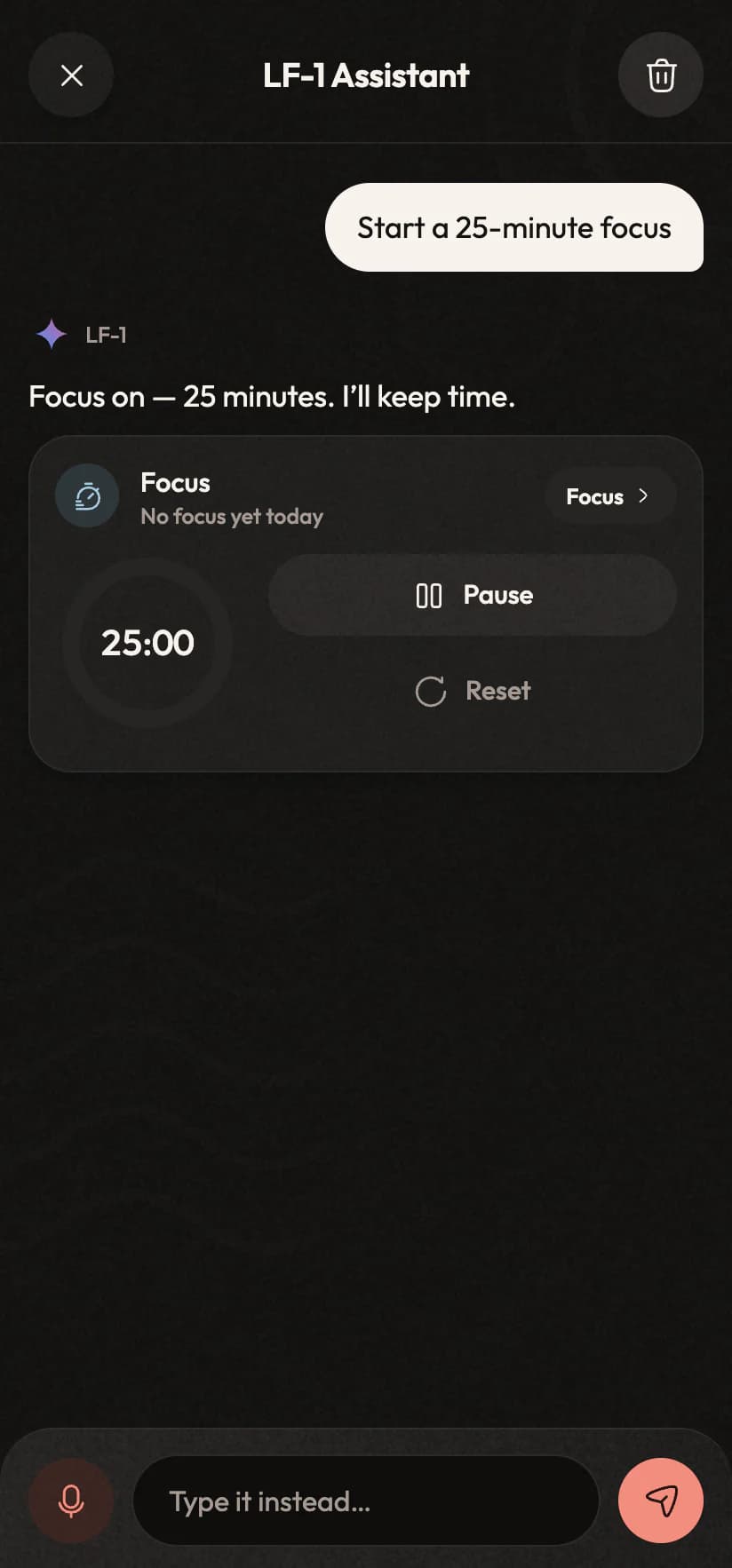
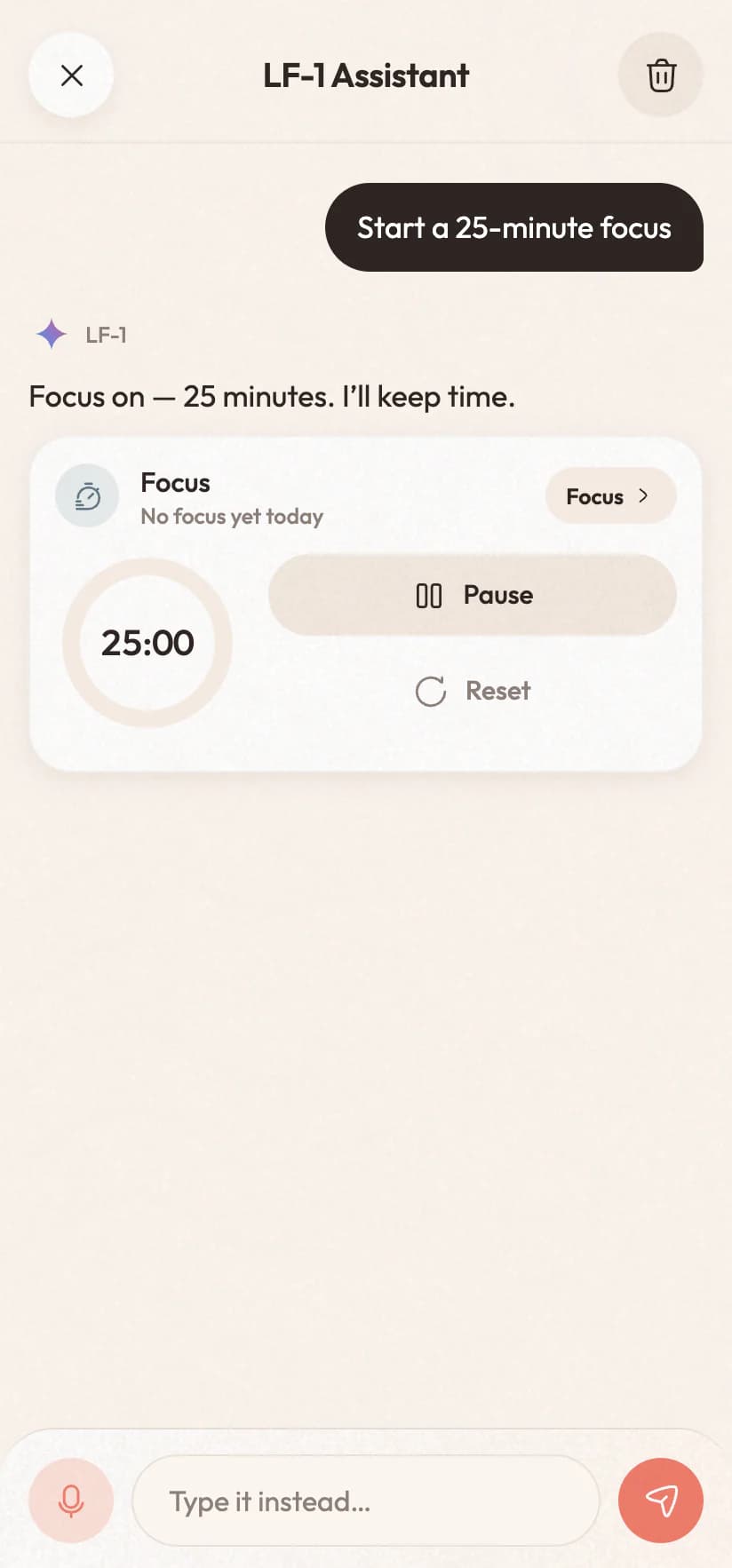
“Start a 25-minute focus”

The timer starts in the chat and stays with you across the app
9:41
The assistant answering “Start a 25-minute focus” with the timer running in the chatThe assistant answering “Start a 25-minute focus” with the timer running in the chat

Or: “water the plants every other day for a month”, “how am I doing?”, “open my timeline”, “switch to dark mode”.

The live island

What's playing and what's running, always in reach.

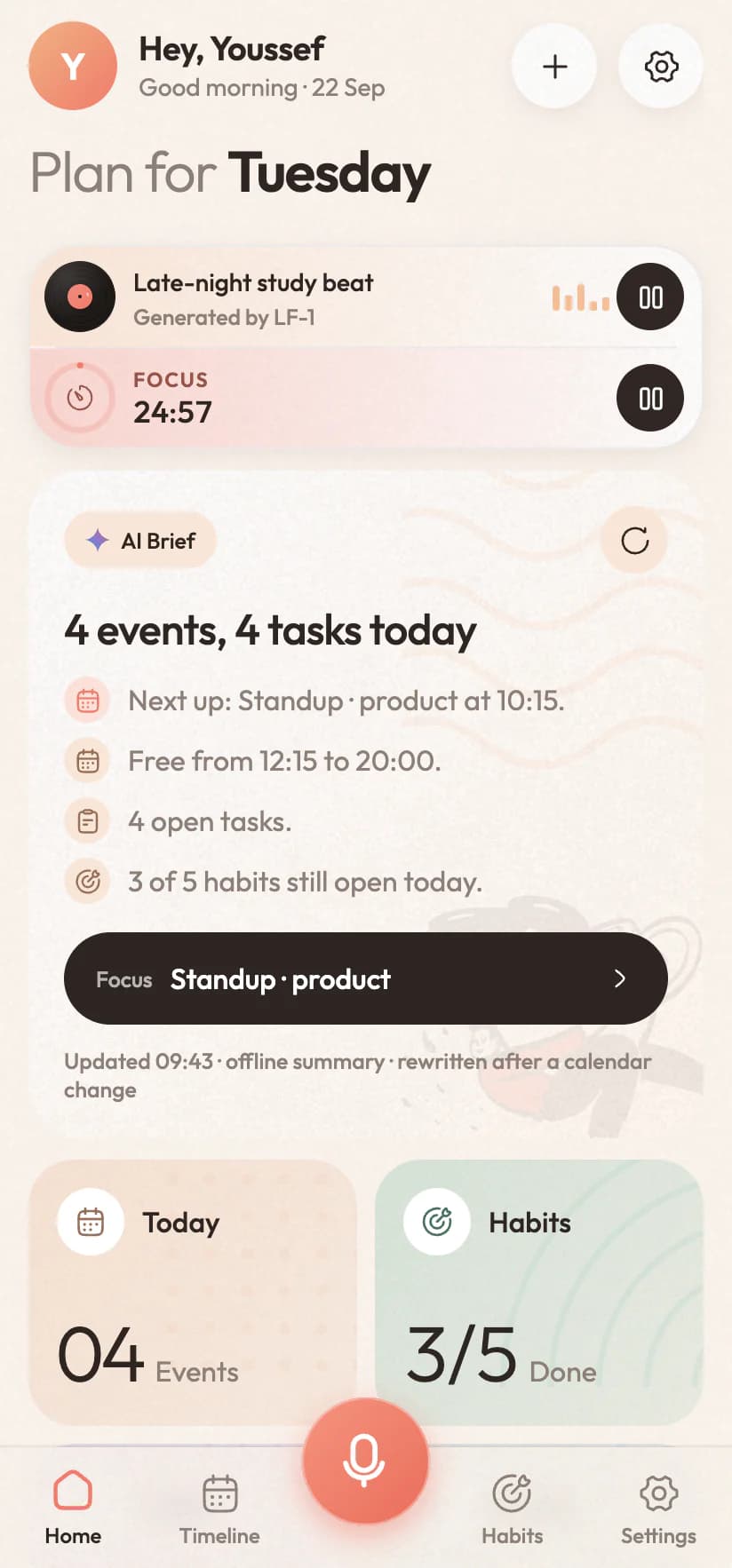
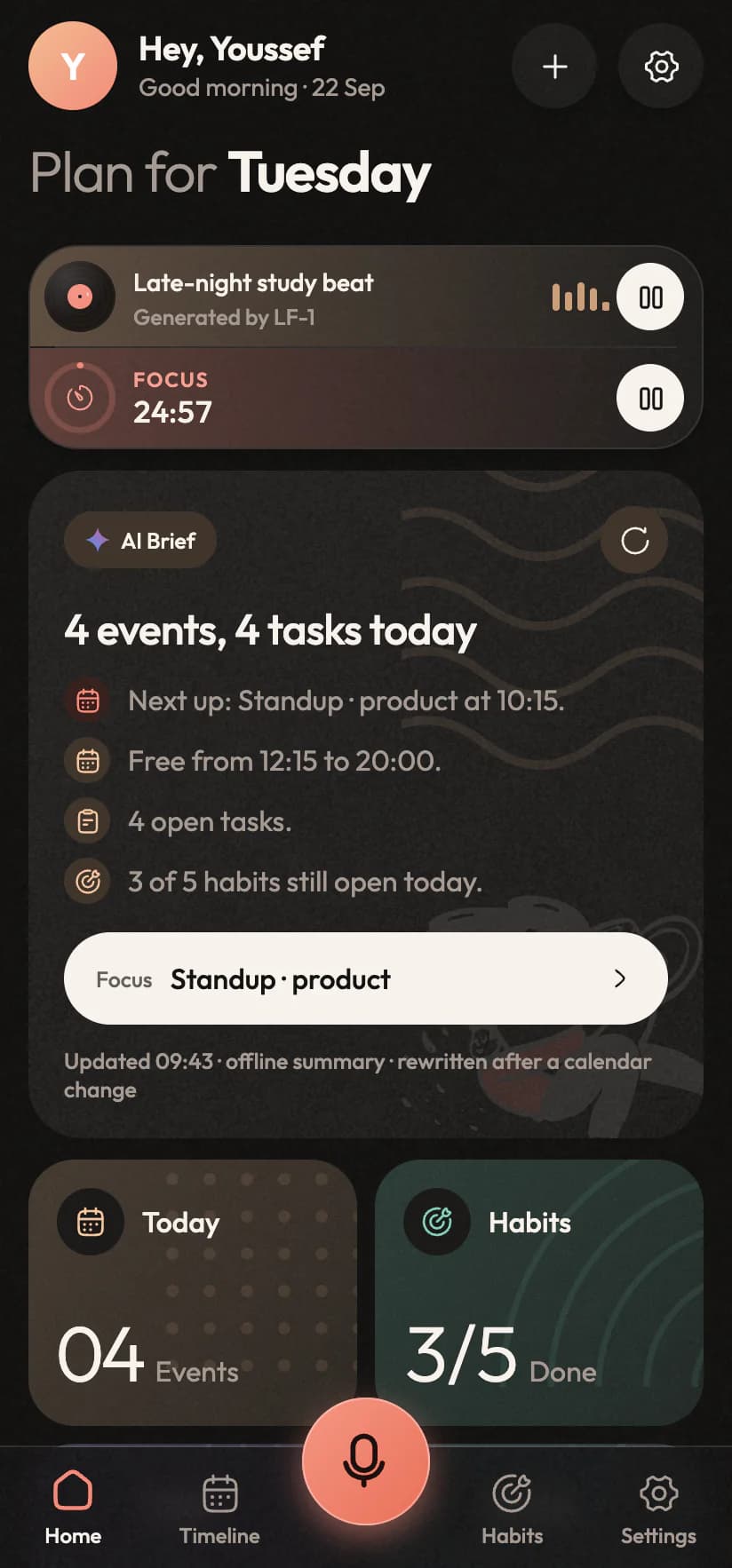
Start some music or a focus session and Inorva Life keeps it at the top of Today, the way your phone keeps a timer on the lock screen. Lock the phone and the music plays on, with its controls in the notification.
9:41
The home screen with the live island on top: the lo-fi beat playing and a focus session counting downThe home screen with the live island on top: the lo-fi beat playing and a focus session counting down
An island on Today

The song, the soundscape under it and the time left, with play and pause right where you look.

A pill everywhere else

On the other tabs it folds into a small pill above the talk key, so every screen keeps its room.

Every control, one tap away

Tap it for the full view: the music with its layers, the timer with reset and skip, and today's sessions.

Focus & sounds

Put the phone face down. The tomato keeps time.

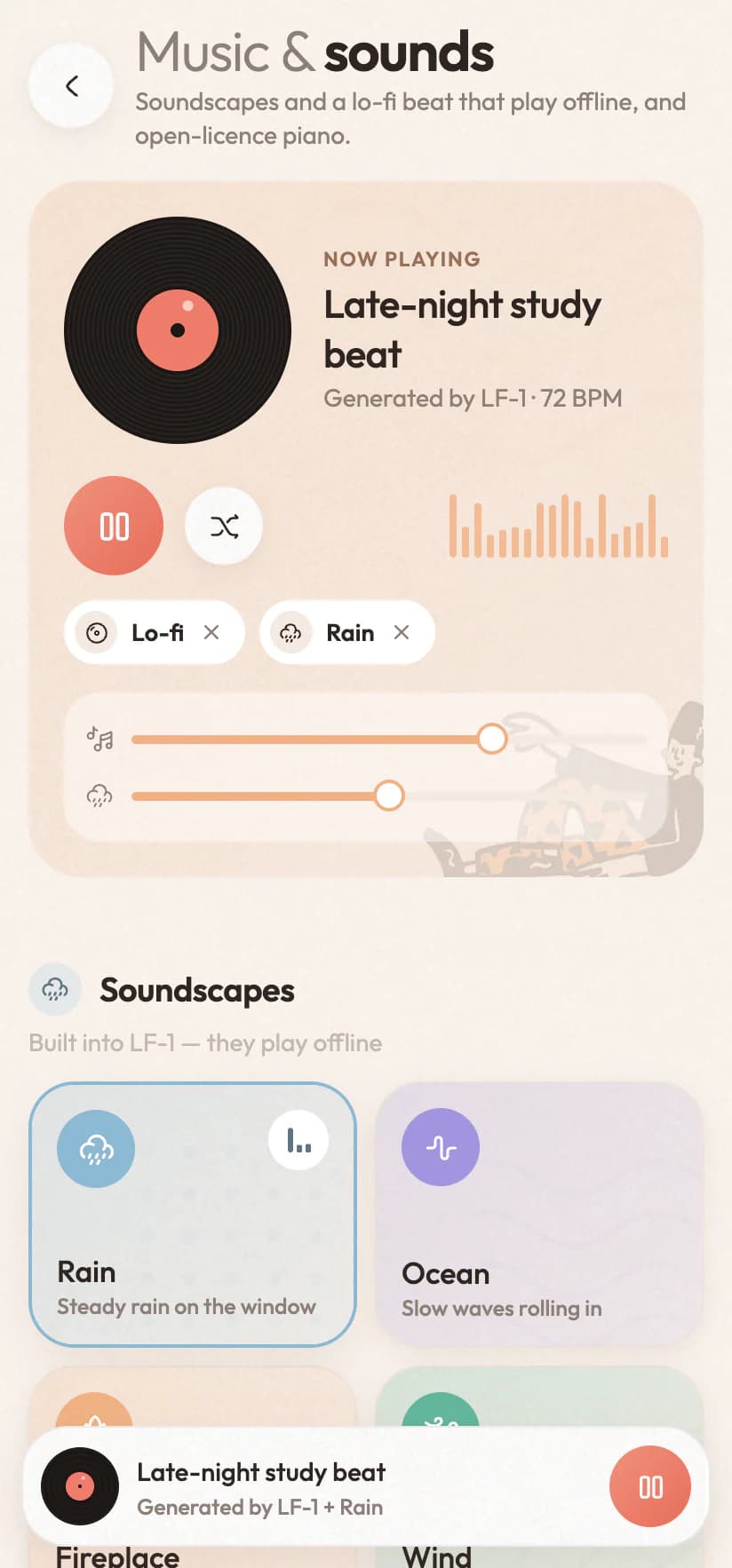
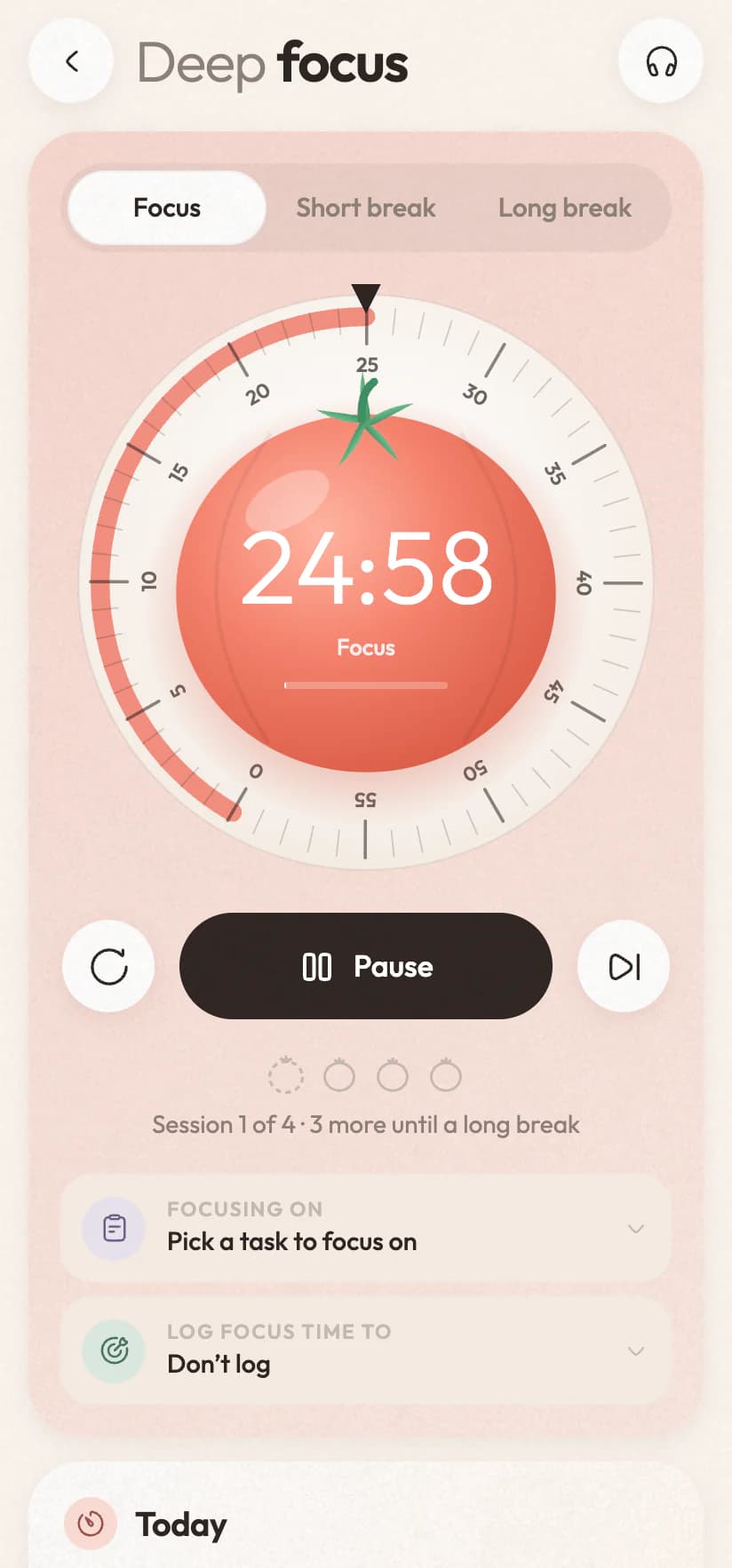
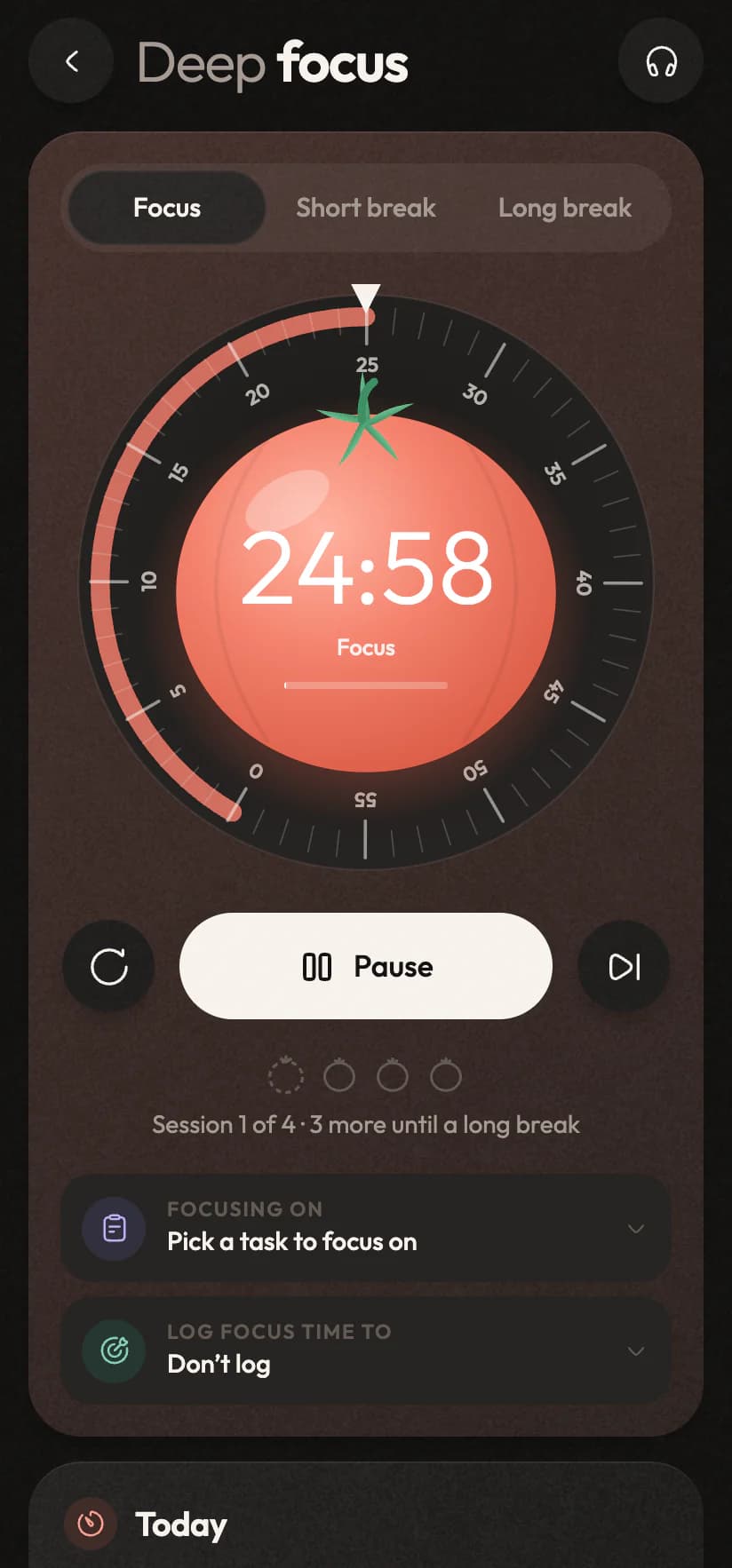
Twist the tomato to set a session, pick the task you're on, and let the minutes count toward a habit if you like. A chime when it's done and a nudge if the phone's in your pocket. Then choose what you hear: rain, the sea, a fireplace or wind built into the app, a lo-fi beat made by Inorva Life, open-licence piano, or your own Spotify.
9:41
Deep focus: the tomato dial counting down a 25-minute session, with pause and skipDeep focus: the tomato dial counting down a 25-minute session, with pause and skip
9:41
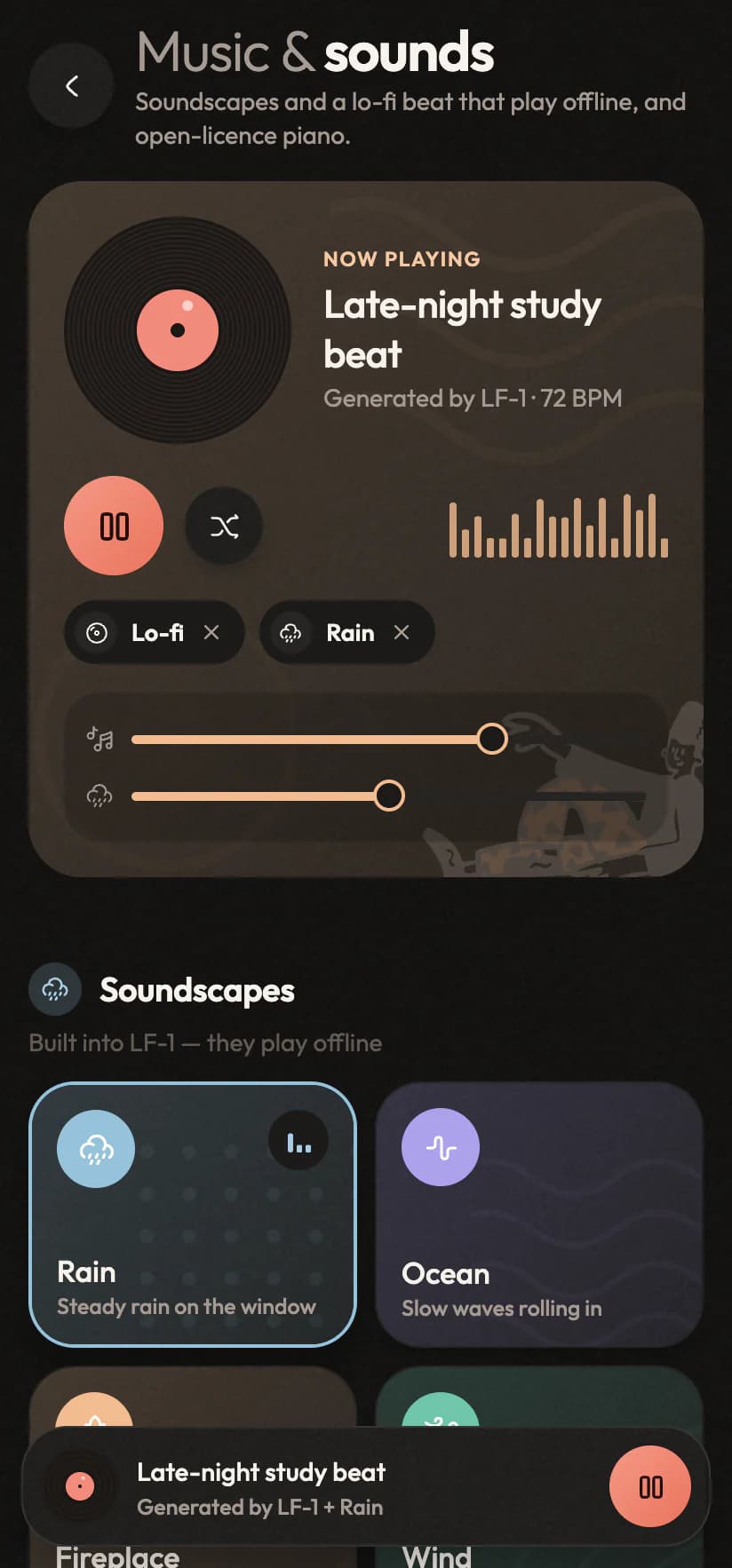
Music & sounds: the lo-fi beat playing with rain under it, both levels and the soundscapesMusic & sounds: the lo-fi beat playing with rain under it, both levels and the soundscapes
A dial you twist

Focus, a short break or a long one. Turn the rim to set anything from 1 to 60 minutes.

It tells you when

A chime, a soft tick if you like, and a notification when a phase ends.

Sounds that work offline

Six soundscapes and a lo-fi beat live in the app, mixed under whatever else plays.

Piano, or your Spotify

Bach, Satie, Chopin and Debussy from Wikimedia Commons, or your own playlists.

Or just say “give me 25 minutes of focus”.
Streaks

Keep it going, and feel it.

Tick off a habit that keeps a run alive and Inorva Life makes a moment of it: a flame that jumps, a little chime and a tap you can feel, and today lighting up in your week. Milestones and new personal bests get a bigger one. Prefer less motion? It stays still.
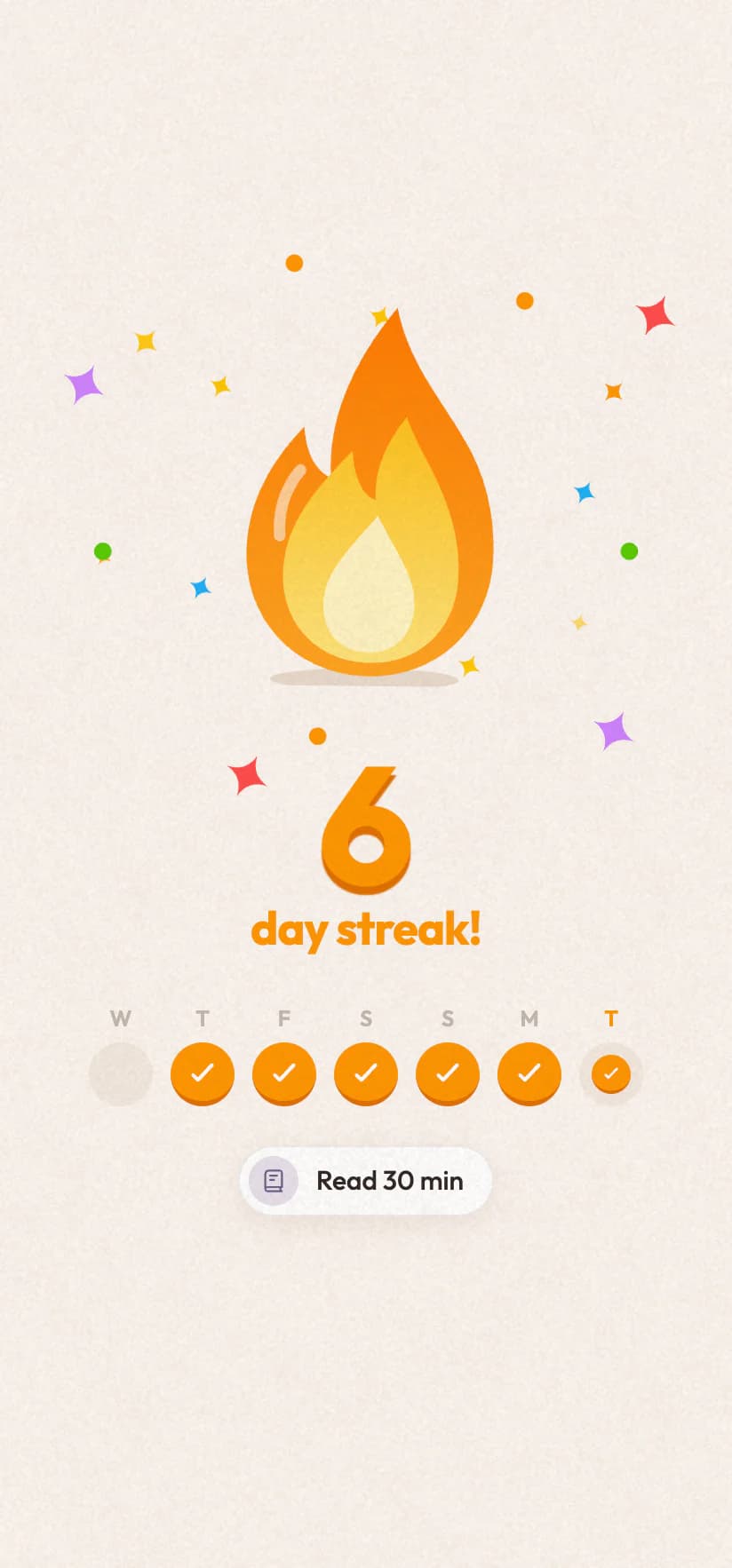
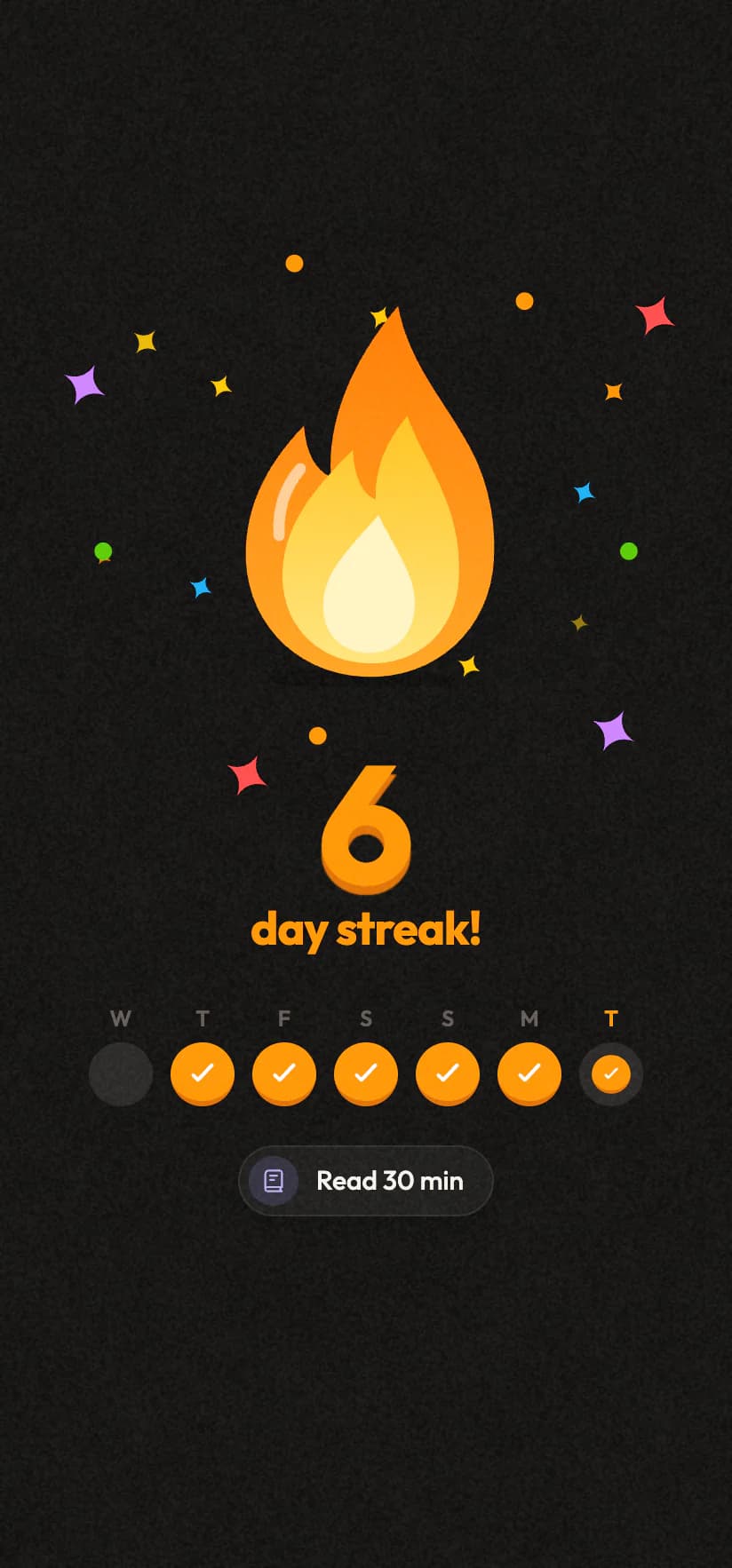
Every day you keep a streak going
Milestones: 7, 30, 100 days and on
A new personal best
9:41
The streak celebration: a flame, a six-day streak and the week lit upThe streak celebration: a flame, a six-day streak and the week lit up
9:41
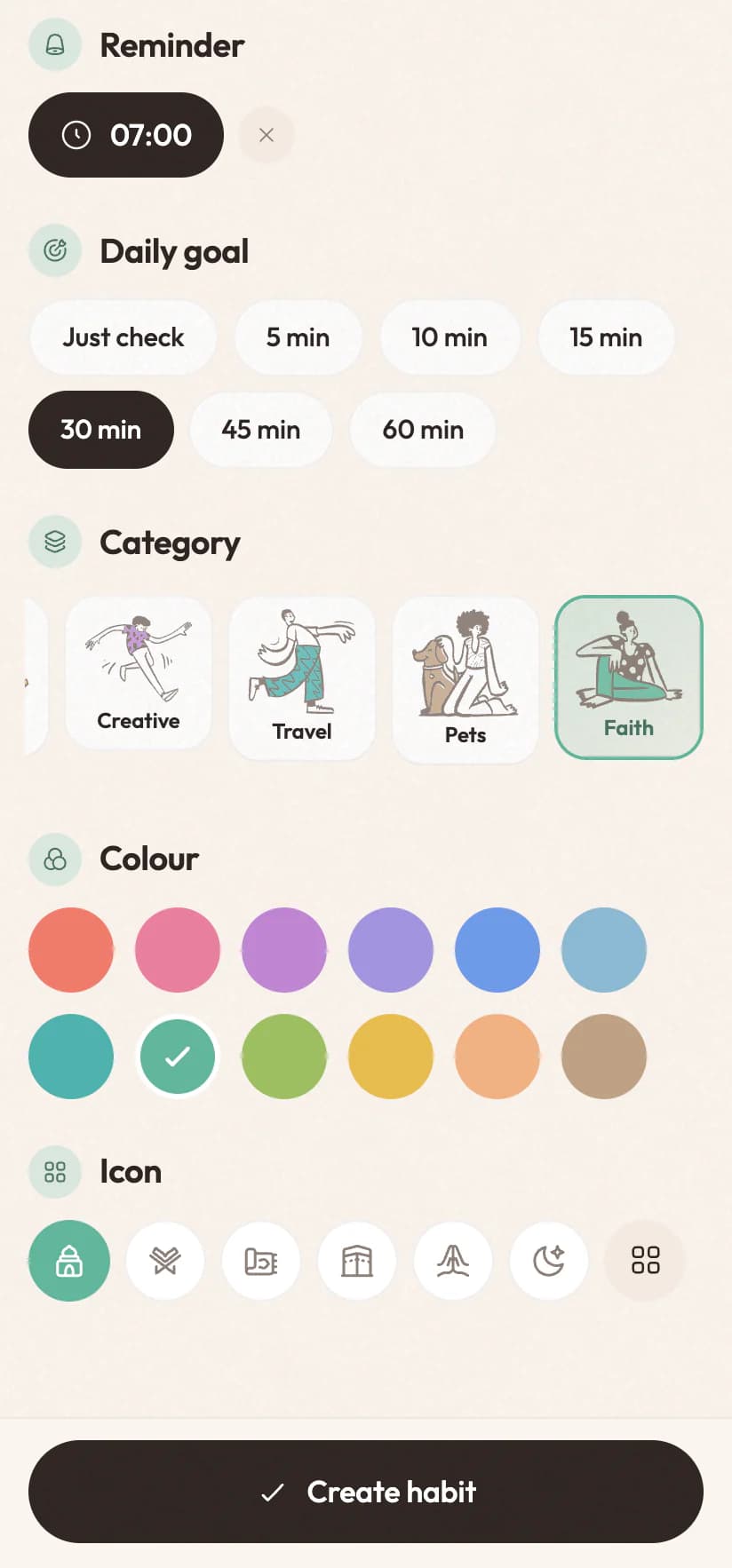
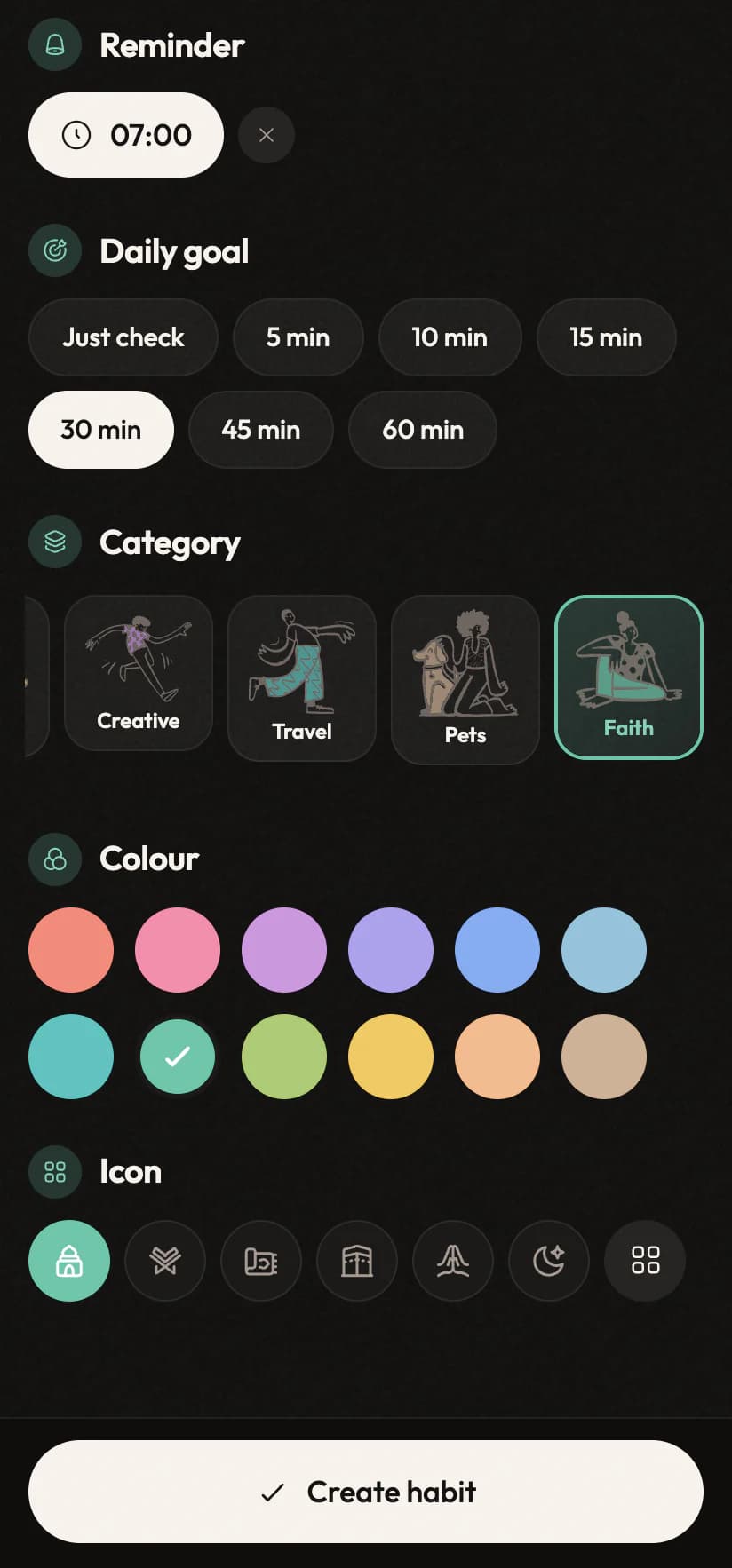
The habit editor choosing its look: category cards with doodles, twelve colours and an icon rowThe habit editor choosing its look: category cards with doodles, twelve colours and an icon row
Faith
Fitness
Learning
Money
Health
Travel
Creative
Mind
Icons, colours & categories

Your life, colour-coded.

Give every habit, task and event a look of its own: a category with its own illustration, one of twelve colours, and an icon from a library you can search in English or Arabic. Type “Gym” or “صلاة الفجر” and it picks one for you before you touch a thing.

0icons
0categories
0colours
Picked from the name

“Morning prayer” gets the mosque and Faith. Change it whenever you like.

Search in both languages

“bike”, “دراجة” or “cycling” all find the same icon.

On every row

Tasks, events and habits wear their icon in their category's colour.

The assistant knows them

New things you say get a fitting look, and you can ask for another.

Everything it does

Eight things it does better than the app you have.

Not a feature list for the sake of one. Each of these exists because something about the way planners usually work was quietly making your life harder.

The talk key01 / 08

Talk to it like you'd talk to a friend.

Most voice features are a novelty bolted onto a normal app: three rigid commands and a shrug for everything else. Here voice is the front door. Everything the app can do, you can say, in the words you would actually use.

9:41
The assistant after two sentences: a dentist appointment booked and a habit logged, each with UndoThe assistant after two sentences: a dentist appointment booked and a habit logged, each with Undo
  • Hold, or tap to toggle

    Walkie-talkie style, or tap once to start and once to send.

  • Two languages, one sentence

    "Remind me أكلم ماما at eight" is understood exactly as meant.

  • Typing still works

    In a quiet carriage? Type the same sentence instead.

  • Nothing is final

    Every action arrives with an Undo button attached.

Calendar02 / 08

Your day, booked for you.

Say "meeting with Omar at three" and it goes into the calendar already on your phone, the real one your colleagues can see. Your existing events are there from the first minute, so there is no empty-app phase.

9:41
The timeline: a week strip and today's events and tasks in orderThe timeline: a week strip and today's events and tasks in order
  • Straight into your calendar

    The account on your phone. Nothing to connect or migrate.

  • Nudges that make sense

    A heads-up before things start, a sharper one when it's soon.

  • One-tap joining

    Meet, Zoom and Teams links lifted onto the card.

  • It knows when you're free

    "Lunch tomorrow" gets a time that fits your day.

Habits03 / 08

Small days, big streaks.

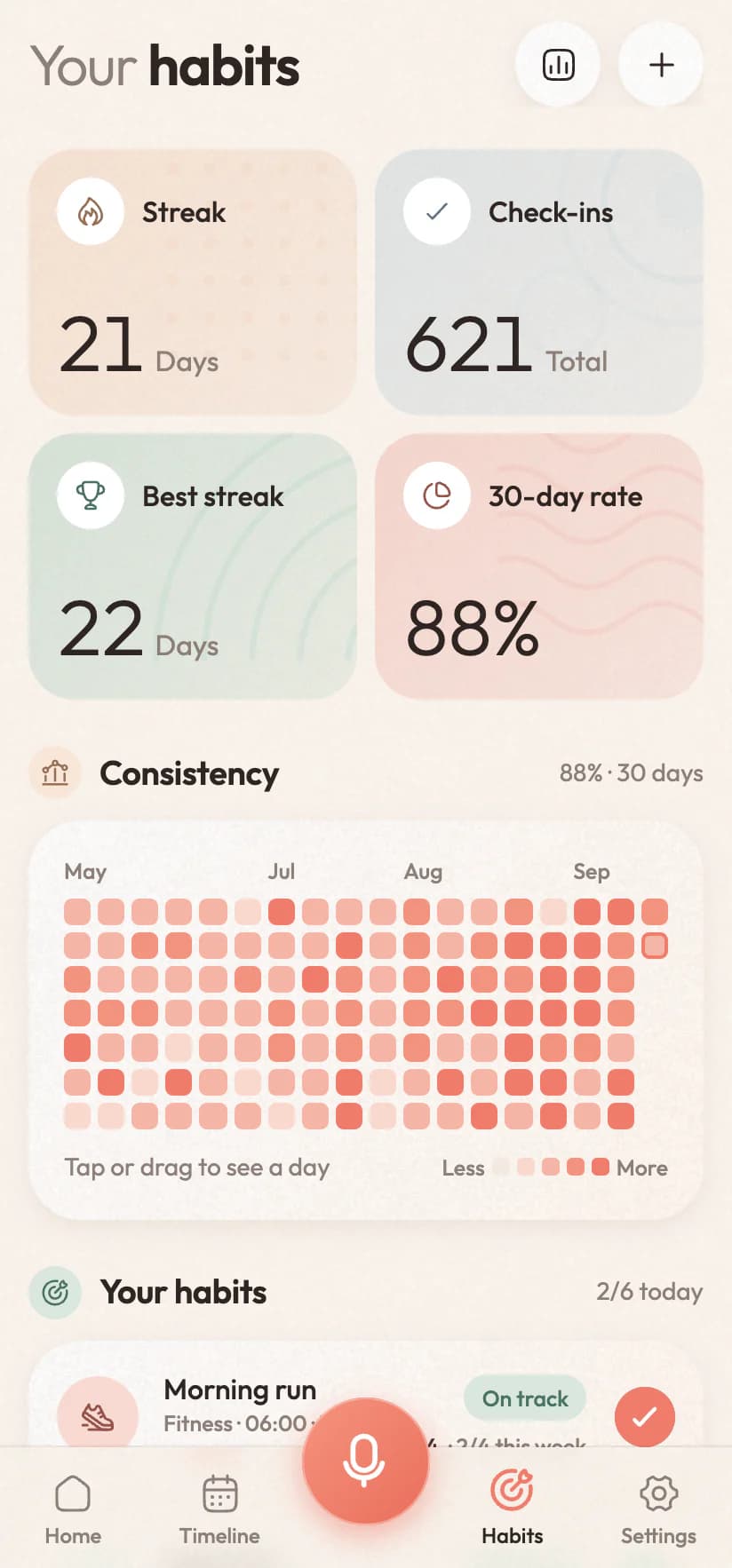
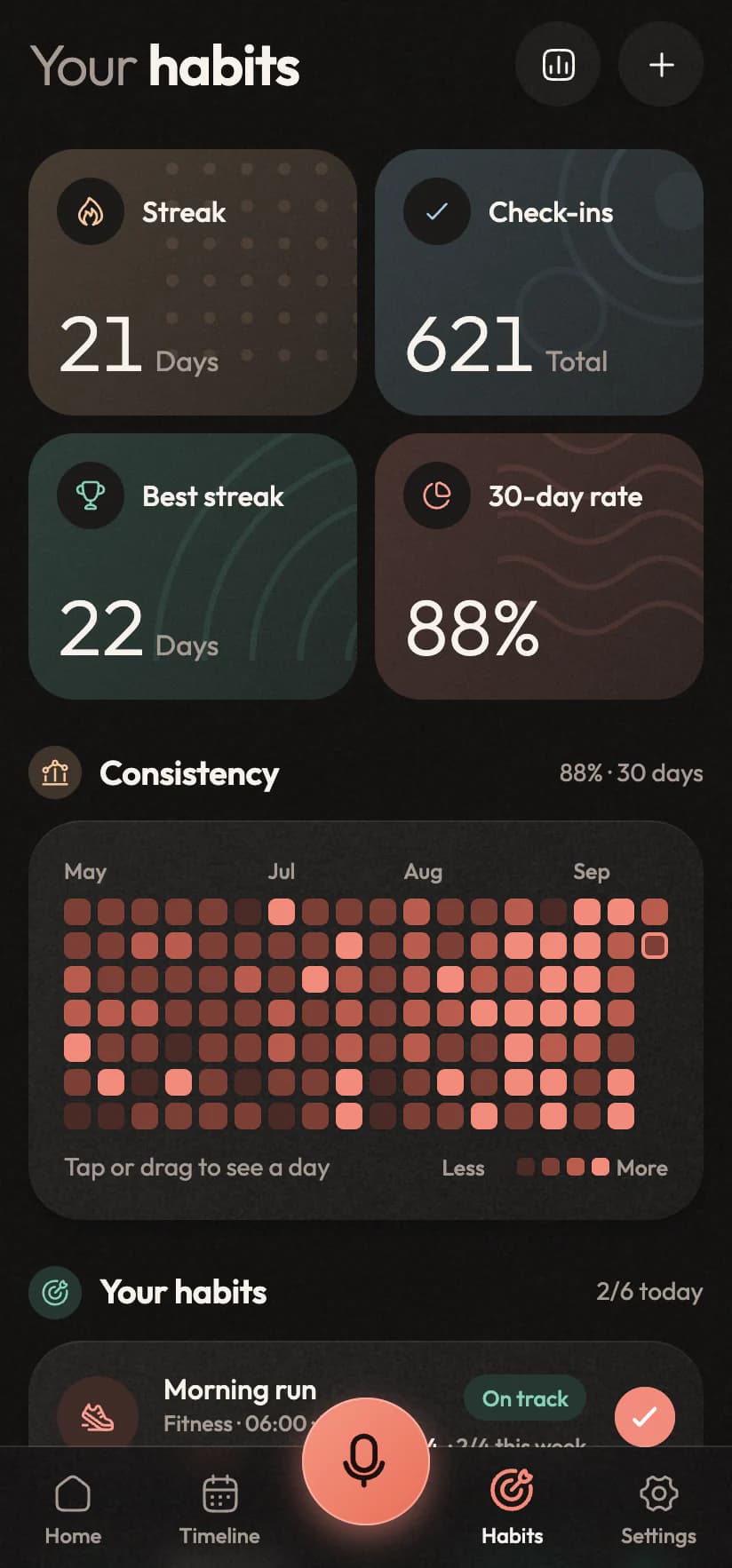
A habit is one tap, or one sentence: "I ran this morning" ticks it off. Rest days are rest days, so taking Sunday off never resets a streak you spent two months building.
9:41
Habits: the streak, check-ins, best streak, 30-day rate and a consistency gridHabits: the streak, check-ins, best streak, 30-day rate and a consistency grid
  • Streaks that tell the truth

    Days you never scheduled can't break a run.

  • A 30-day rate

    One number that survives a rough week.

  • A consistency grid

    Half a year of check-ins, readable at a glance.

  • Ahead, on track, behind

    Where you stand this week, while you can still act.

Tasks04 / 08

Less noise, more done.

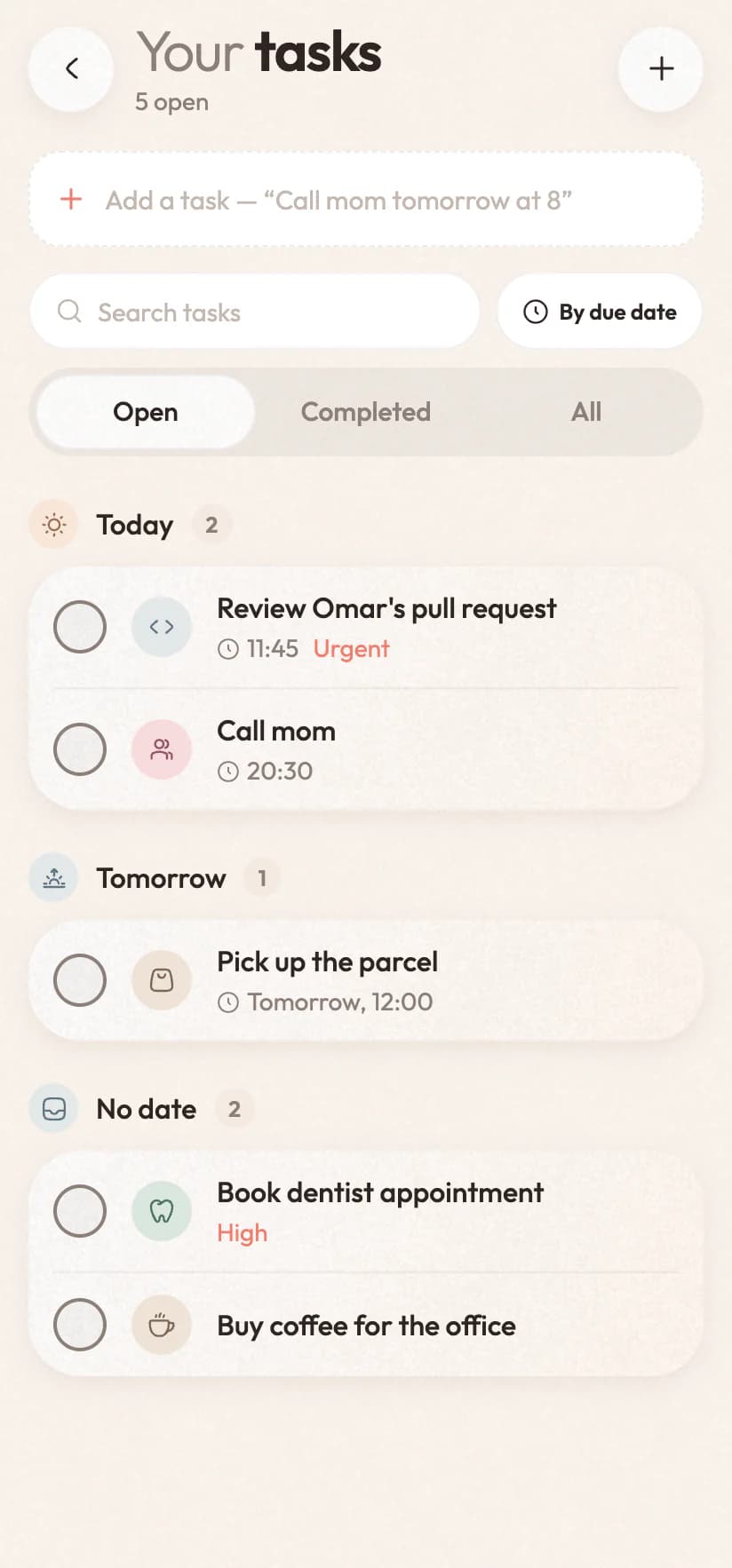
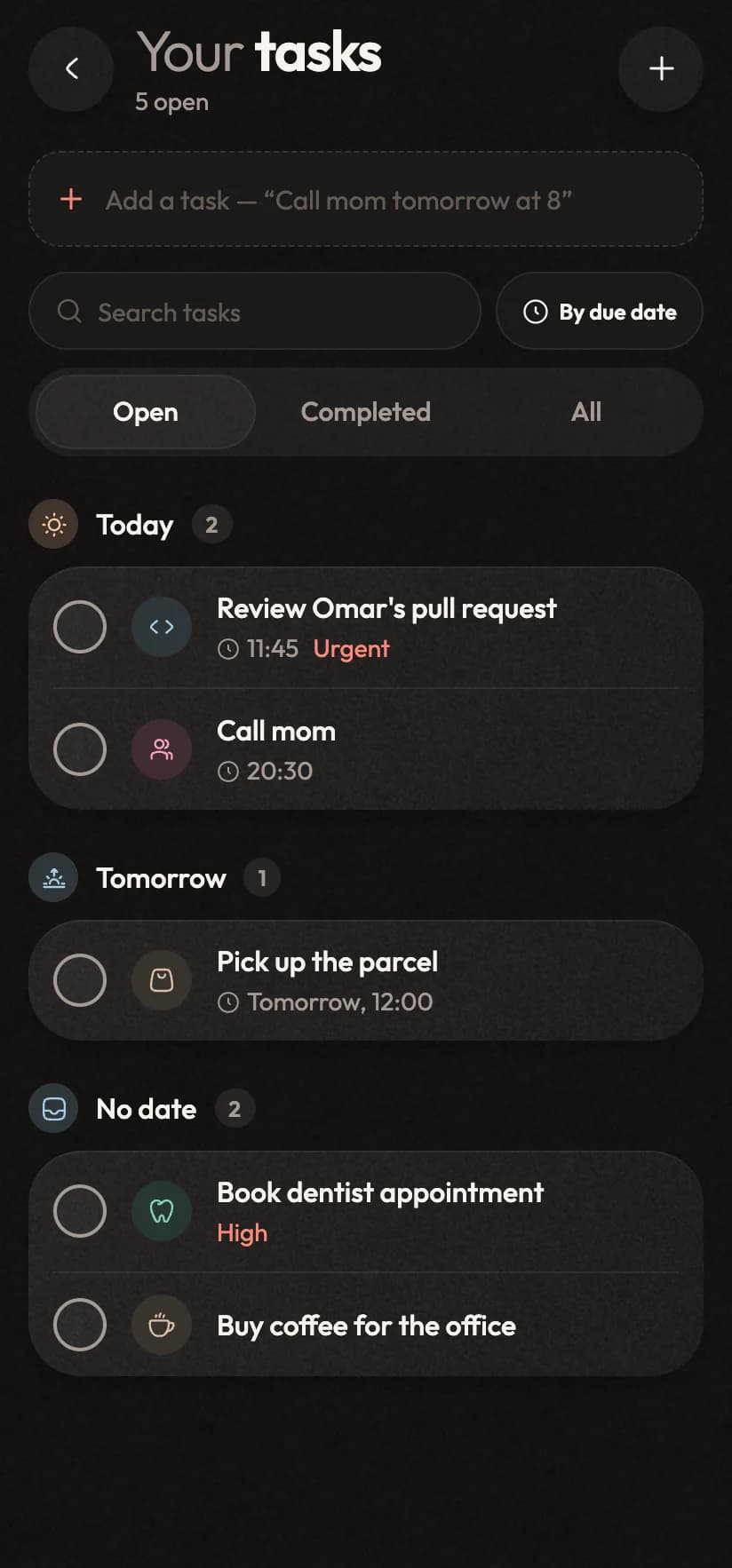
Say it and it's on the list, with a due time and a priority when it needs one and nothing when it doesn't. Every task has a screen of its own now, grouped by when it's due, and tasks and events still share one timeline, so you see one honest picture of the day.
9:41
The Tasks screen: today, tomorrow and no date, with search and a quick-add lineThe Tasks screen: today, tomorrow and no date, with search and a quick-add line
  • Swipe for everything

    Open, edit or delete with a thumb. Learn it once.

  • Grouped and searchable

    Overdue, today, tomorrow, later. Search forgives Arabic spelling.

  • Reminders that arrive

    Set to the minute, and they survive a restart.

  • Promote it to an event

    When a to-do needs an hour, it becomes one.

The morning brief05 / 08

A short read of your day.

The first time you open the app each morning, a few plain lines are waiting at the top: what's coming, what's still open from yesterday, which habit is about to lose its streak, and where the free hours are. Move a meeting and it rewrites itself.

9:41
Inorva Life home screen: the day's plan, the AI Brief with a free stretch in the afternoon, and four stat tilesInorva Life home screen: the day's plan, the AI Brief with a free stretch in the afternoon, and four stat tiles
  • Written fresh each morning

    From what's actually on your plate, never a template.

  • It notices things

    The gap between meetings, the streak at risk.

  • In your language

    English or Arabic, set apart from the rest of the app.

  • It keeps up with your calendar

    Today's plans change, the brief changes with them.

Progress06 / 08

Numbers that don't flatter you.

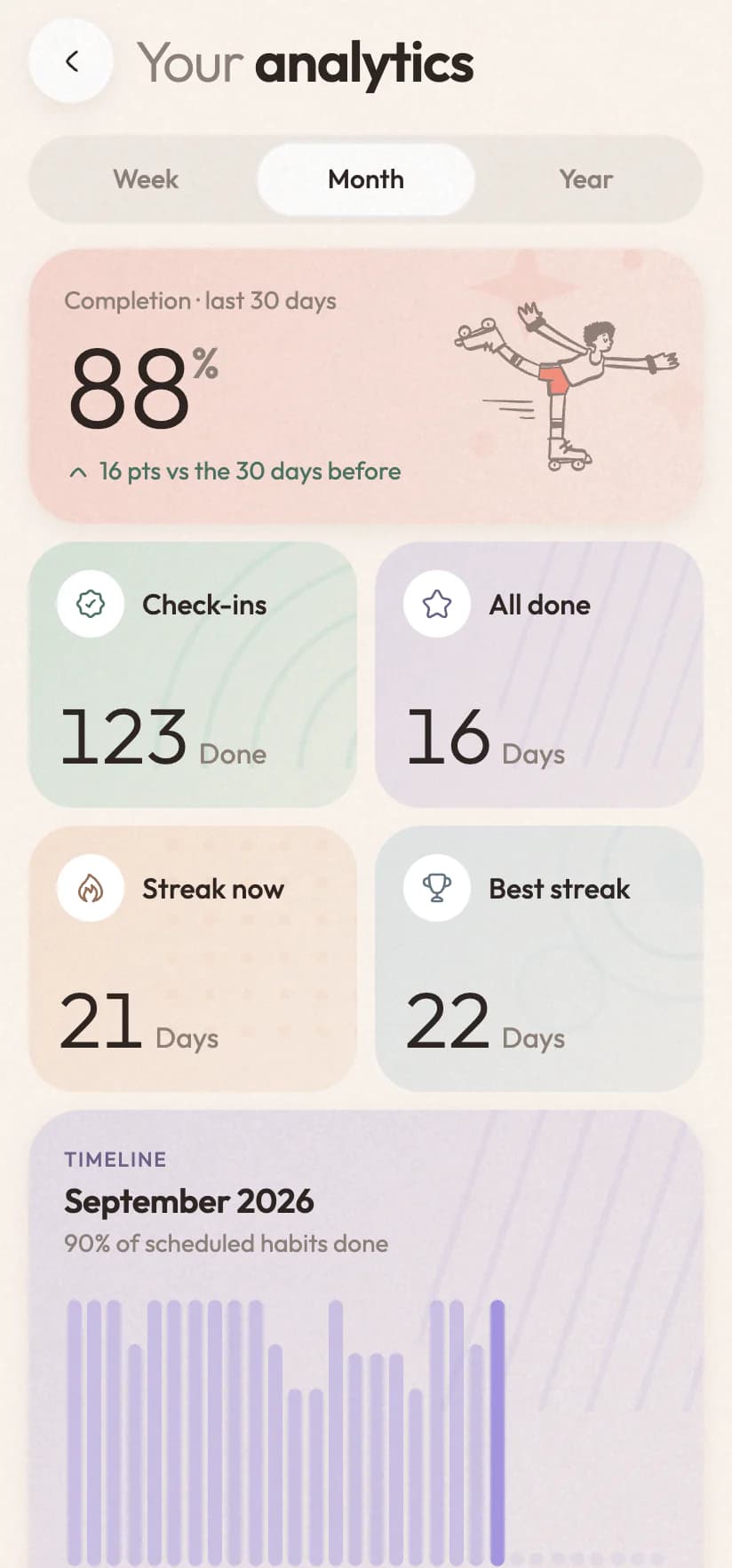
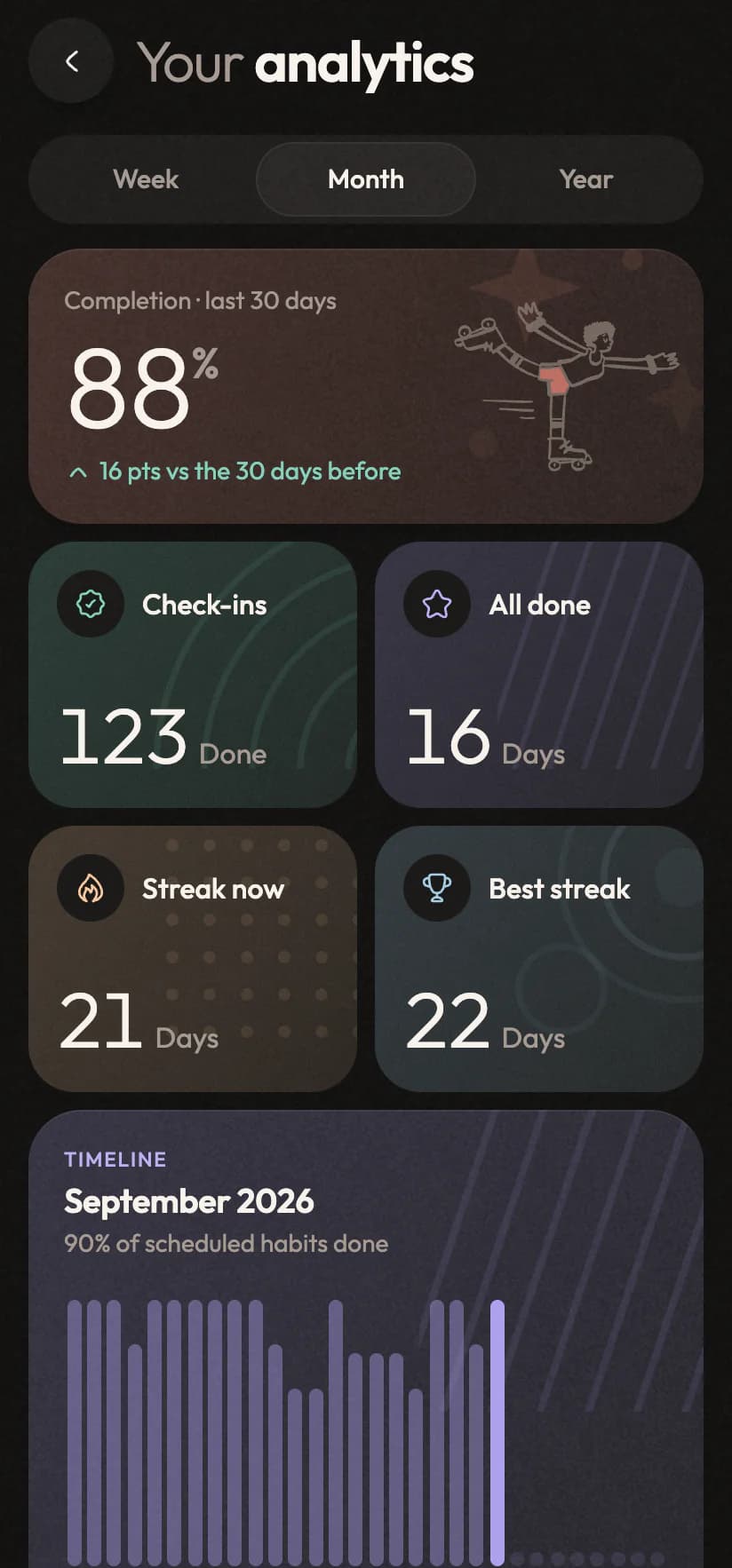
Plenty of apps show a chart that only goes up because it stops counting the days you missed. Progress here counts every scheduled day, misses included, because a picture you can trust is the only kind worth having.
9:41
Analytics: completion this month against the last, a timeline of every day and focus timeAnalytics: completion this month against the last, a timeline of every day and focus time
  • Week, month and year

    Each one measured against the period before it.

  • Best days and records

    Your strongest weekday and your longest run.

  • Focus time too

    Sessions, minutes, and what they went to.

  • Export it all

    Every task, habit and check-in in one plain file.

Arabic & English07 / 08

Bilingual, properly.

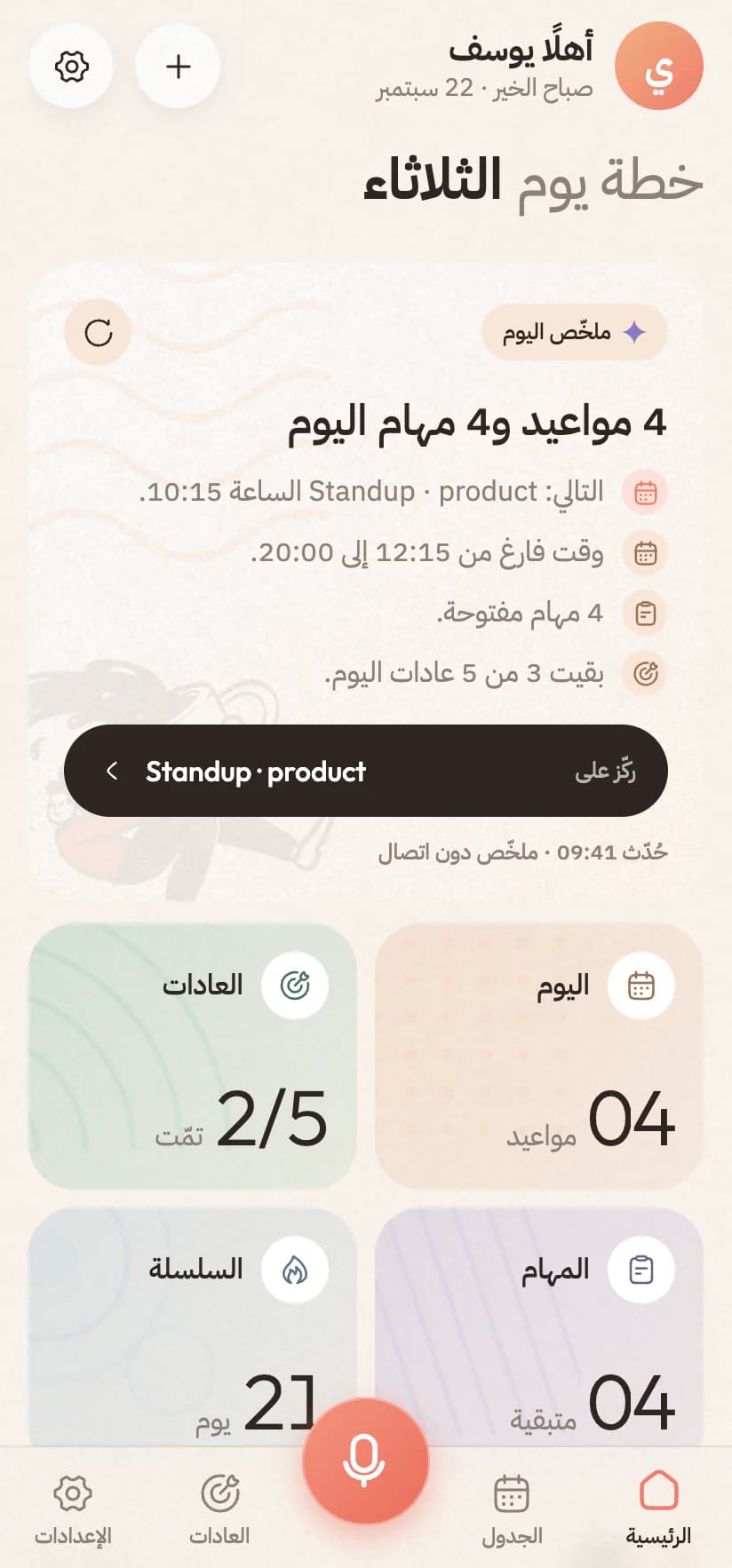
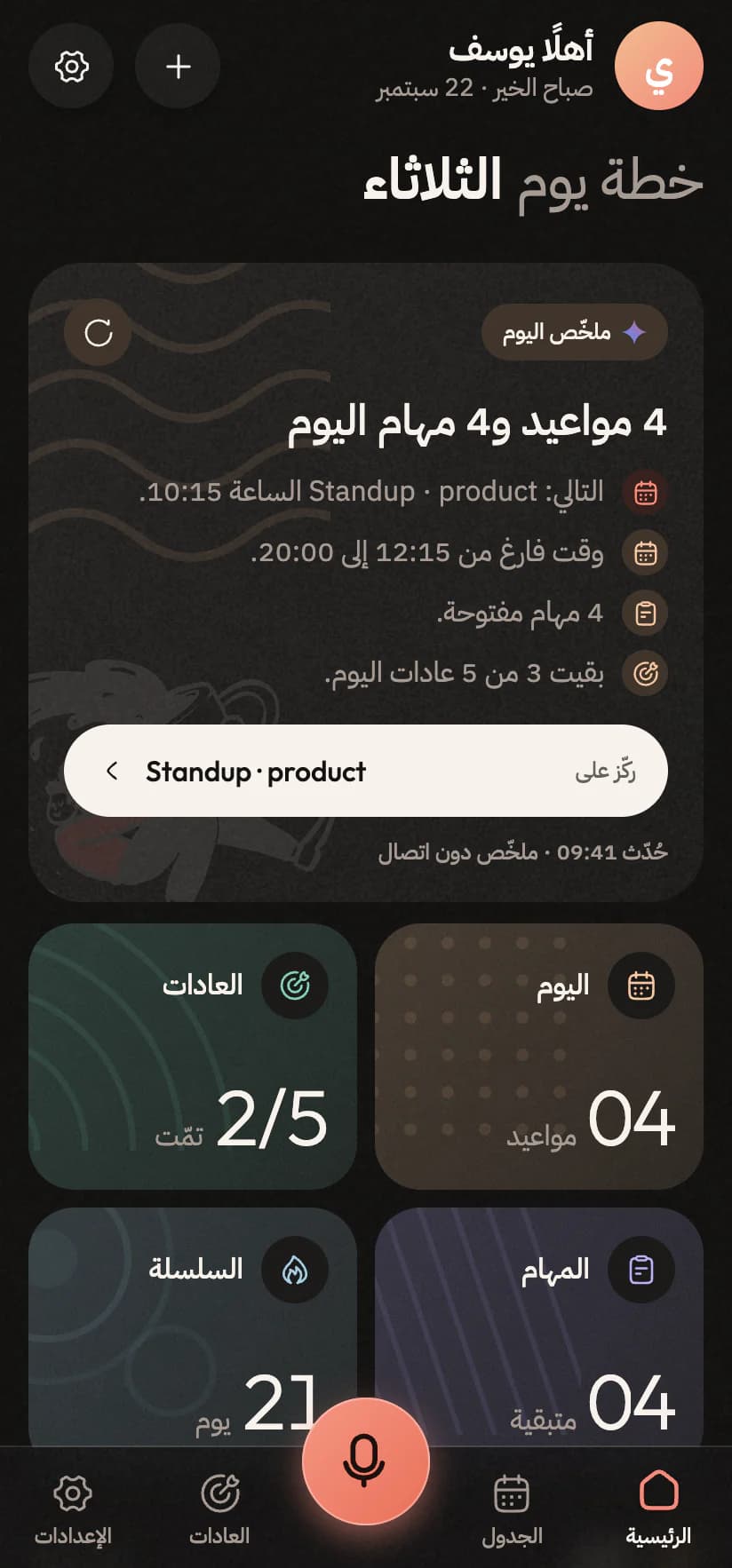
Built in both languages from the first screen, not run through a translator at the end. Switch to Arabic and the whole interface mirrors: layout, icons, swipes, and a typeface drawn for the script. Charts stay left to right, because time does.
9:41
The home screen in Arabic, laid out right to leftThe home screen in Arabic, laid out right to left
  • A real right-to-left layout

    Every screen, gesture and animation genuinely reverses.

  • Type drawn for the script

    IBM Plex Sans Arabic, with nothing clipped.

  • Charts stay put

    Time runs left to right in both languages.

  • Or follow your phone

    An Arabic phone gets Arabic, no setting needed.

Yours alone08 / 08

No ads. No trackers. No fine print.

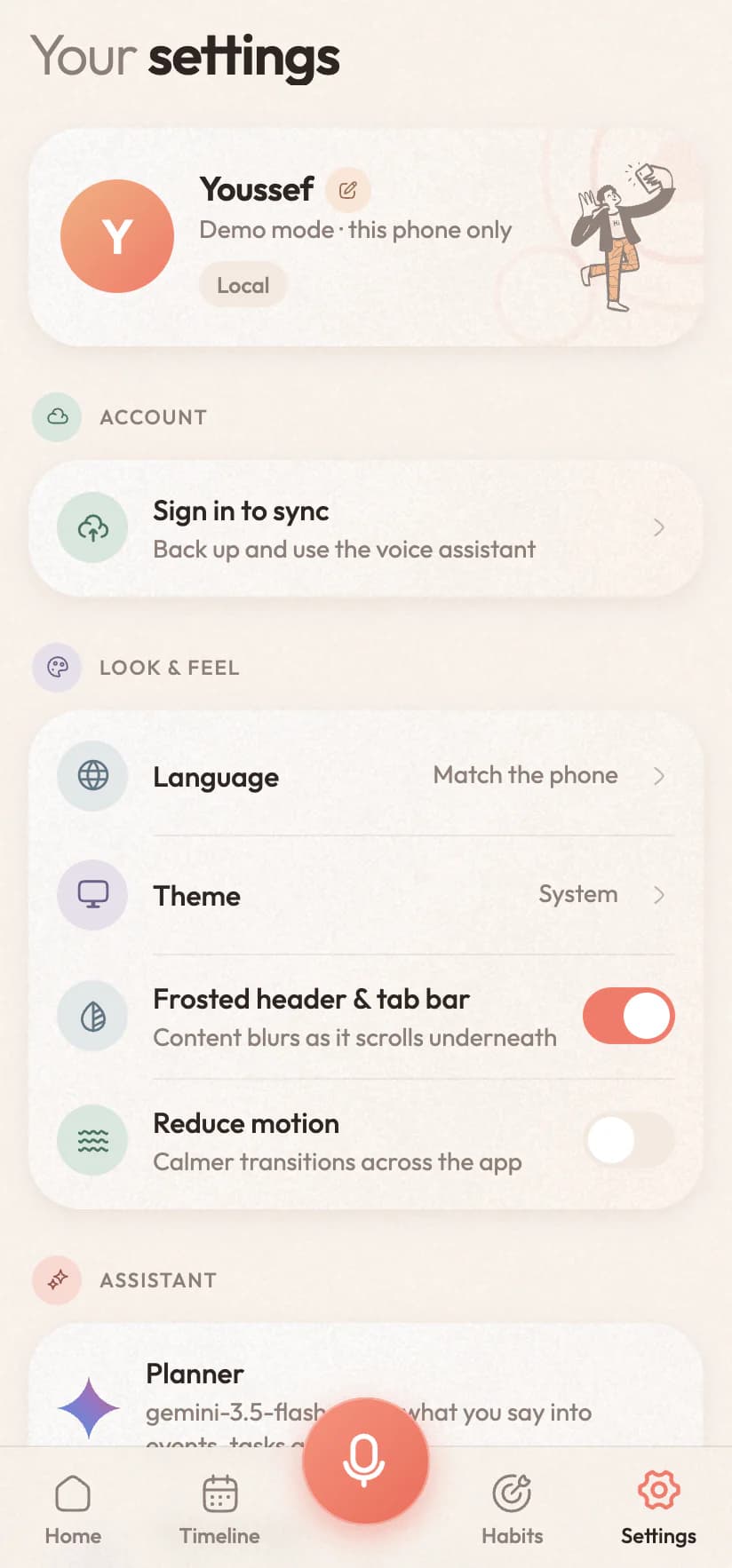
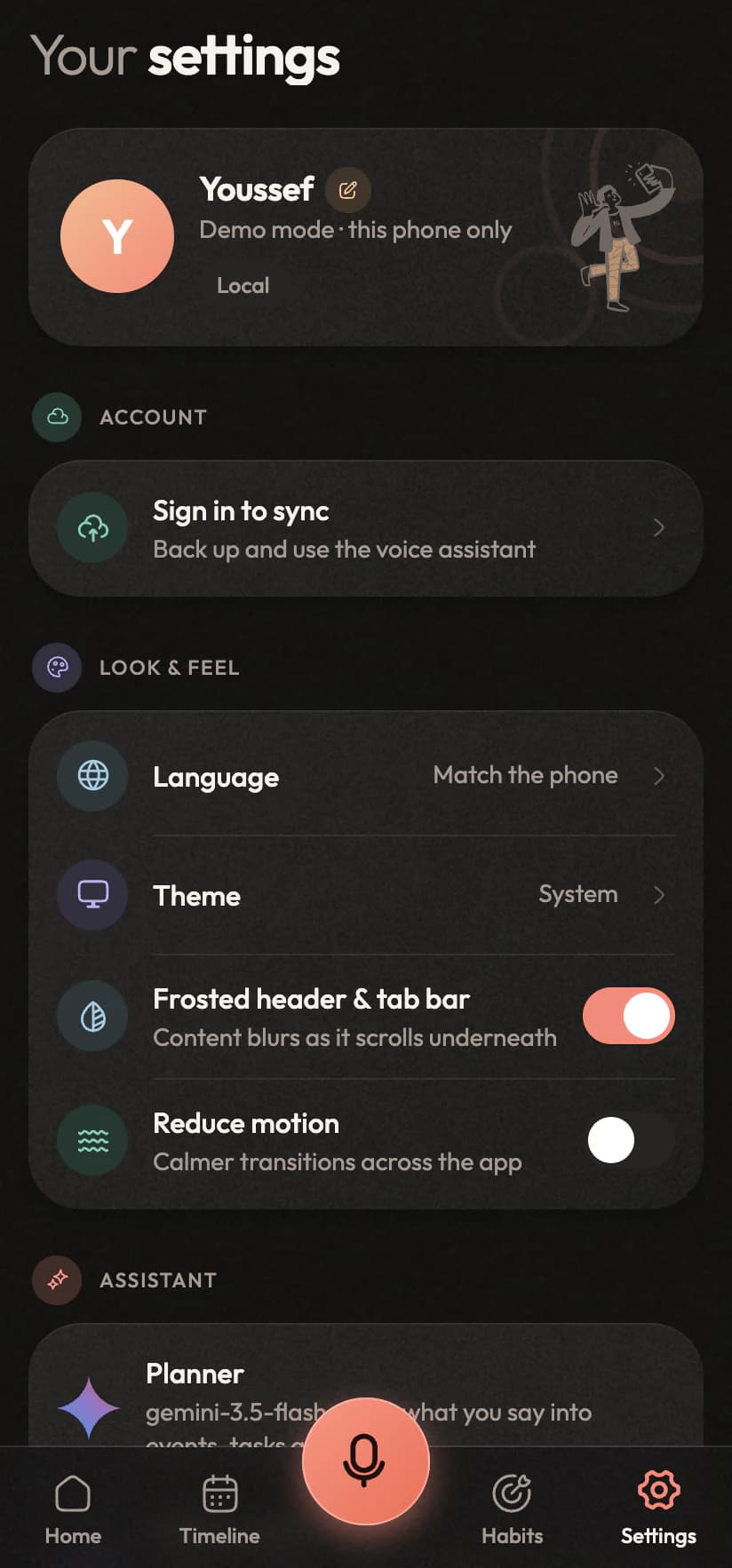
Your day is a fairly complete portrait of your life, and that isn't traded for a free app. No ads, no analytics SDKs, no advertising ID. Voice is transcribed and dropped, and deleting your account deletes it, instantly, from inside the app.
9:41
Settings: language, theme, reminders and the assistantSettings: language, theme, reminders and the assistant
  • Recordings aren't kept

    Audio is transcribed and dropped. Only the text stays.

  • Offline-first

    Works on a plane. Sync catches up when you land.

  • Export any time

    One tap, in an open and readable format.

  • Delete means delete

    Immediate, in the app, every row gone.

A look around

Warm paper, not another grey dashboard.

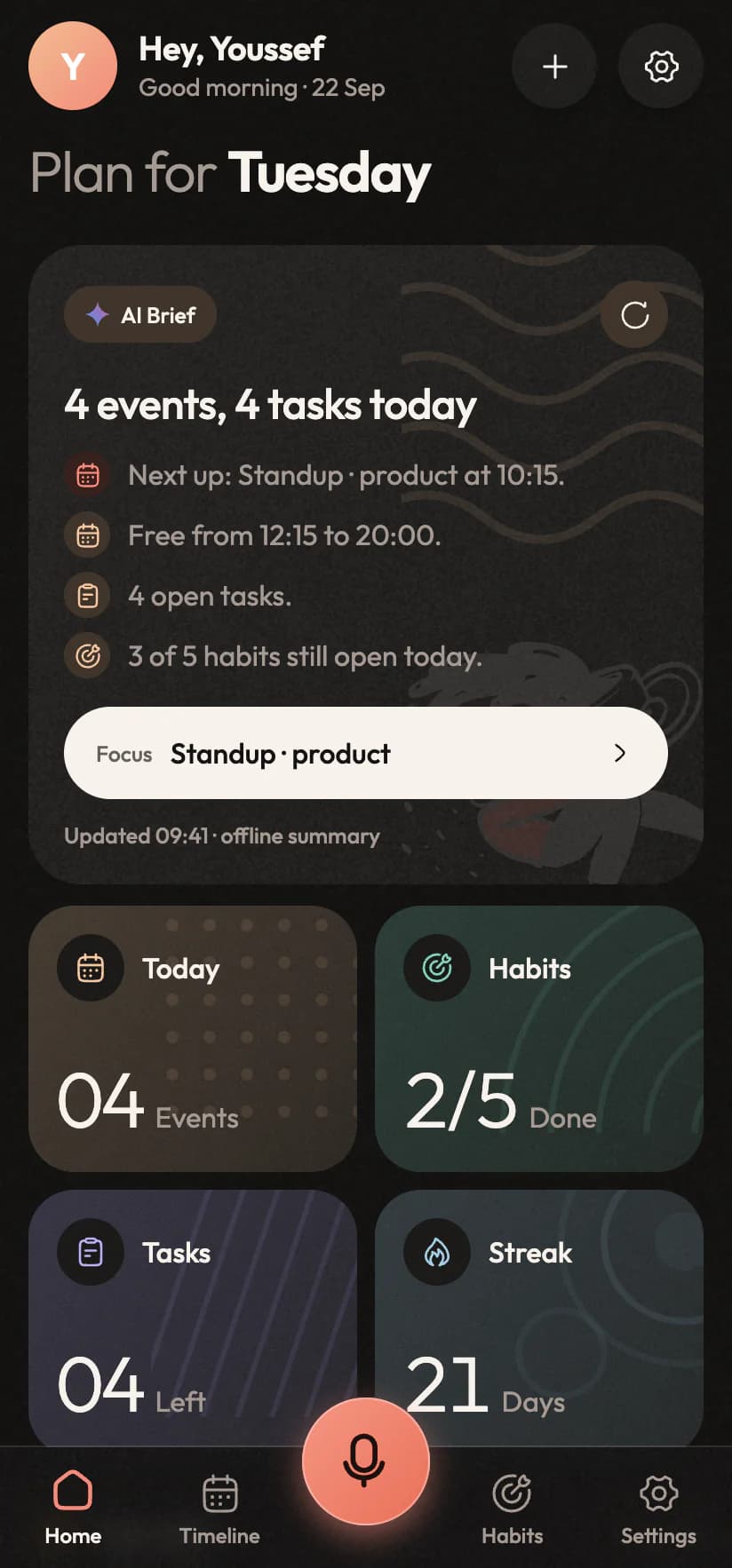
Cream by day, soft charcoal by night, hand-drawn art and big light numerals you can read at a glance. Every screen here is the real app.
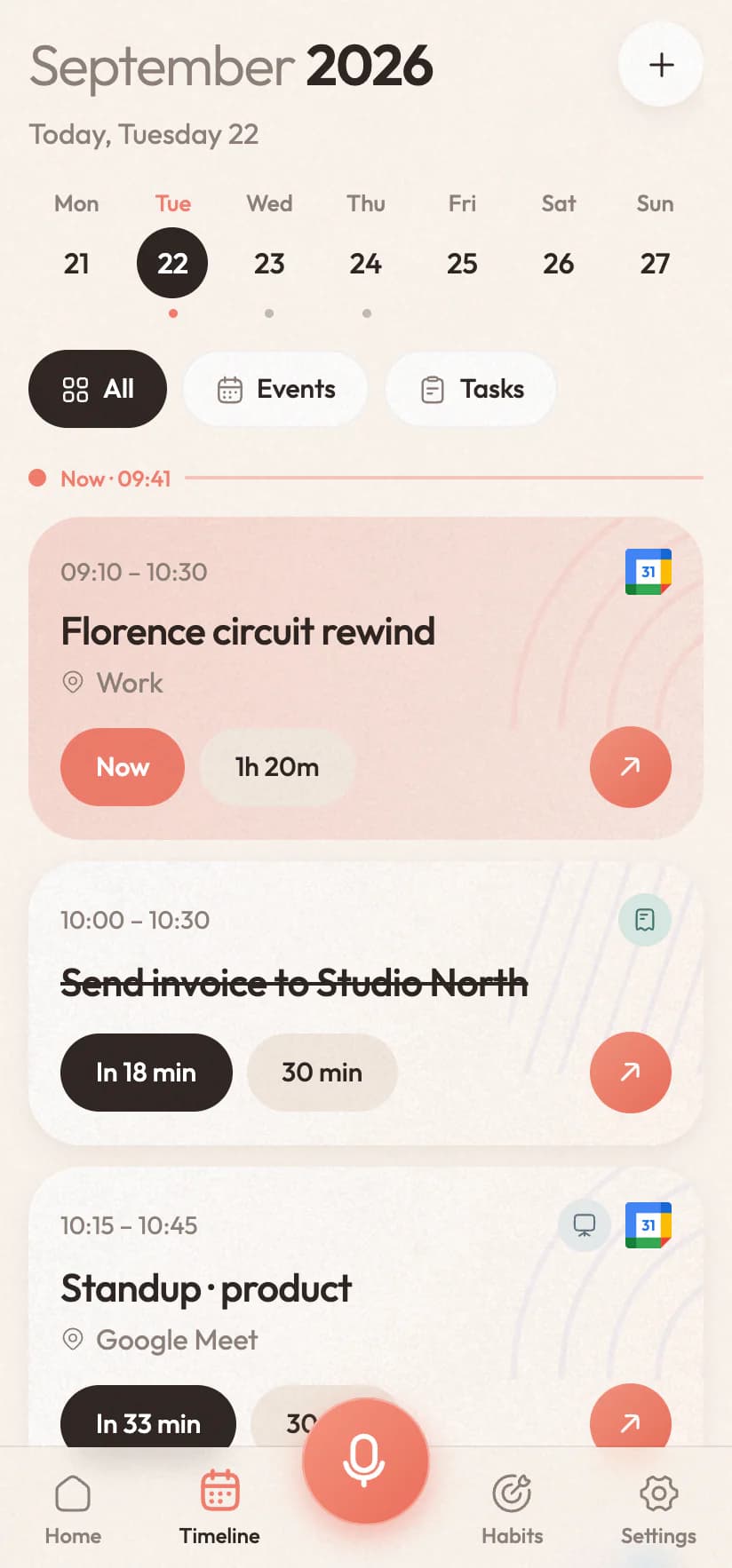
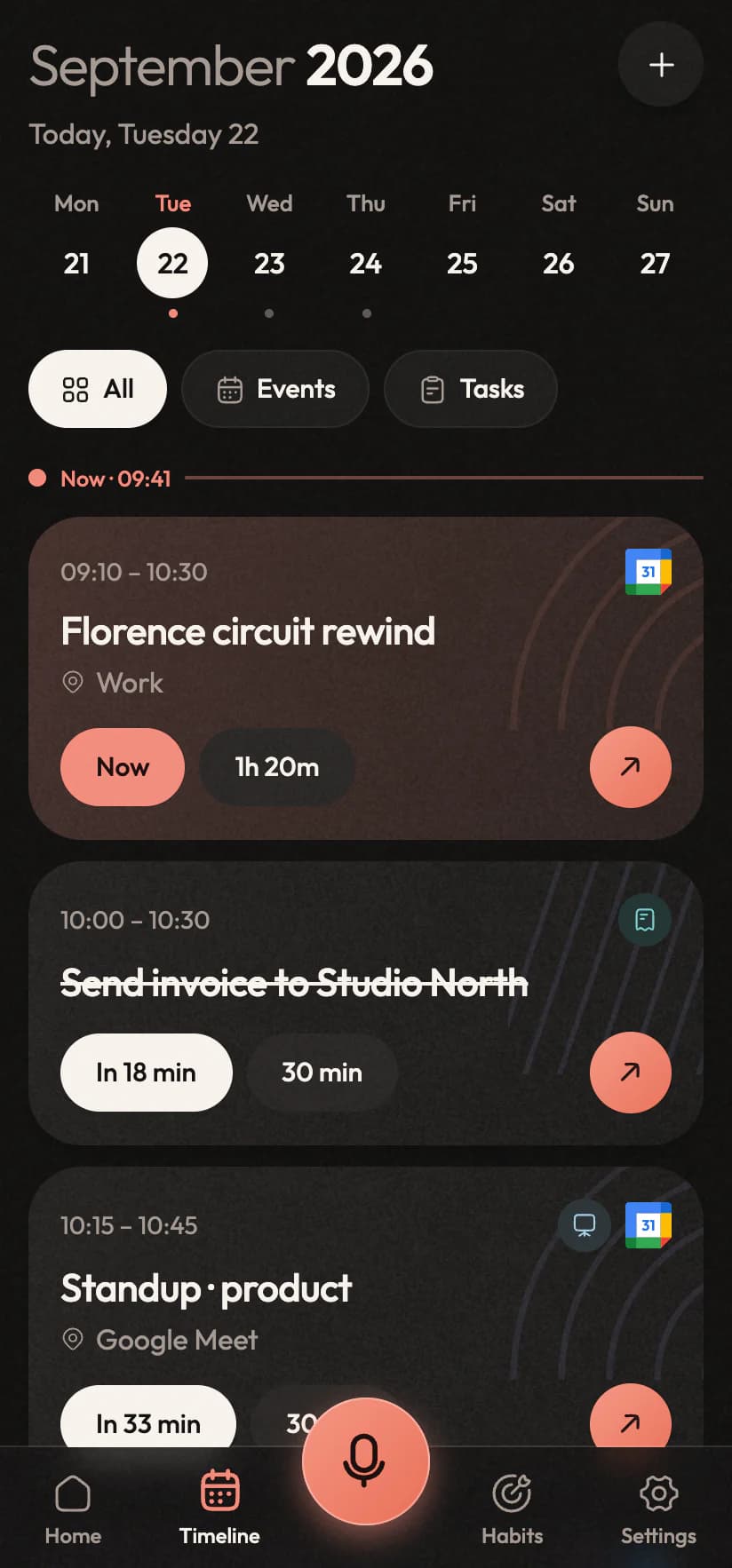
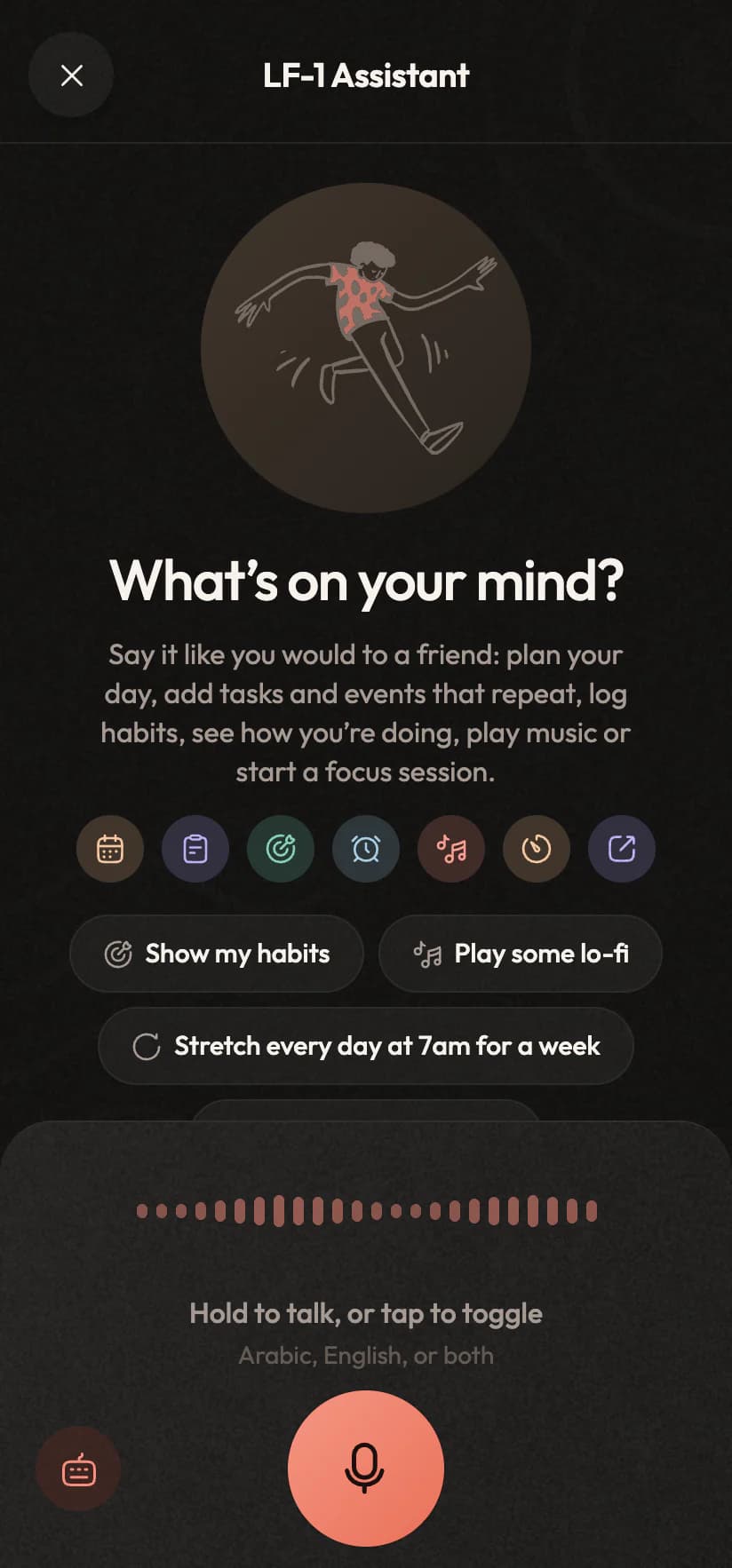
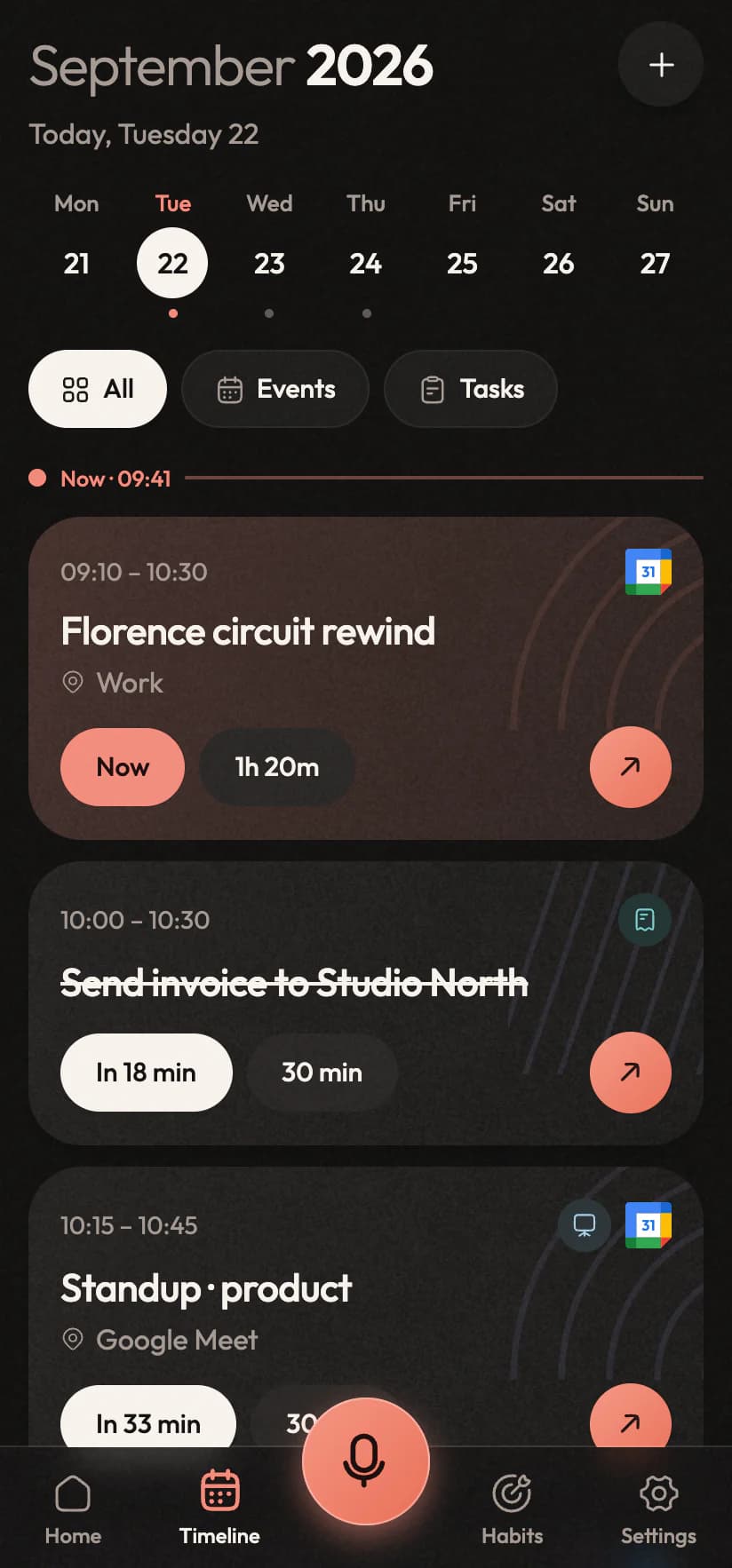
Flip the theme and the screens follow
9:41
Inorva Life home screen: the day's plan, the AI Brief with a free stretch in the afternoon, and four stat tilesInorva Life home screen: the day's plan, the AI Brief with a free stretch in the afternoon, and four stat tiles
9:41
The home screen with the live island on top: the lo-fi beat playing and a focus session counting downThe home screen with the live island on top: the lo-fi beat playing and a focus session counting down
9:41
The assistant listening, with a live waveformThe assistant listening, with a live waveform
9:41
The assistant adding “Gym every Monday and Thursday at 6pm”, repeating weekly, with UndoThe assistant adding “Gym every Monday and Thursday at 6pm”, repeating weekly, with Undo
9:41
The assistant answering “Show my habits” with a live card of every habit, its last seven days and its streakThe assistant answering “Show my habits” with a live card of every habit, its last seven days and its streak
9:41
Deep focus: the tomato dial counting down a 25-minute session, with pause and skipDeep focus: the tomato dial counting down a 25-minute session, with pause and skip
9:41
Music & sounds: the lo-fi beat playing with rain under it, both levels and the soundscapesMusic & sounds: the lo-fi beat playing with rain under it, both levels and the soundscapes
9:41
The streak celebration: a flame, a six-day streak and the week lit upThe streak celebration: a flame, a six-day streak and the week lit up
9:41
The timeline: a week strip and today's events and tasks in orderThe timeline: a week strip and today's events and tasks in order
9:41
The Tasks screen: today, tomorrow and no date, with search and a quick-add lineThe Tasks screen: today, tomorrow and no date, with search and a quick-add line
9:41
The habit editor choosing its look: category cards with doodles, twelve colours and an icon rowThe habit editor choosing its look: category cards with doodles, twelve colours and an icon row
9:41
Habits: the streak, check-ins, best streak, 30-day rate and a consistency gridHabits: the streak, check-ins, best streak, 30-day rate and a consistency grid
9:41
Analytics: completion this month against the last, a timeline of every day and focus timeAnalytics: completion this month against the last, a timeline of every day and focus time
9:41
The home screen in Arabic, laid out right to leftThe home screen in Arabic, laid out right to left
9:41
An event opened from the timeline, with its Google Meet linkAn event opened from the timeline, with its Google Meet link
9:41
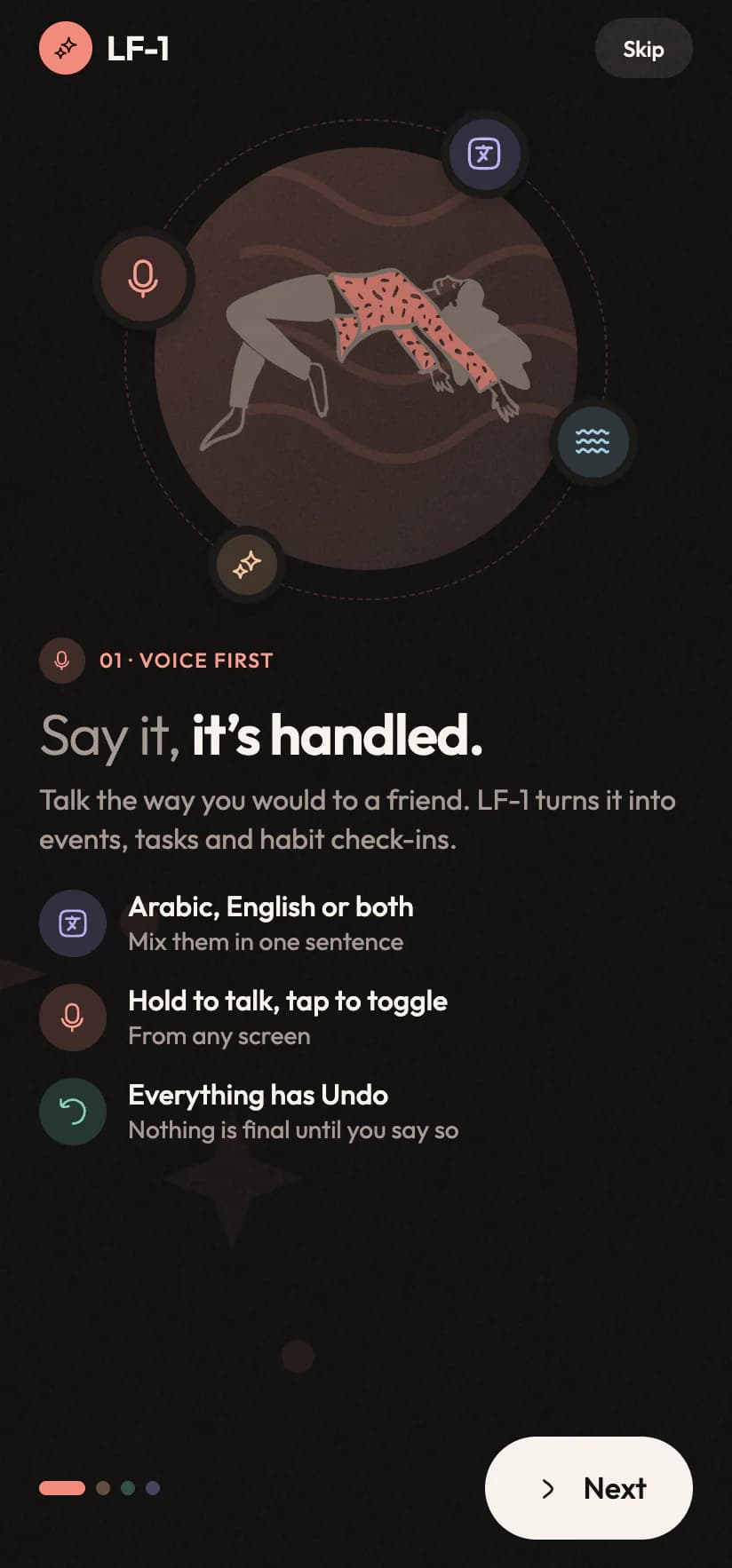
Welcome screen: Say it, it's handledWelcome screen: Say it, it's handled
HomeYour day on one screen
What makes it different

Everyone else built a database. We built a listener.

Put it beside the productivity apps you have already tried and the gap isn't a longer feature list. It's that the others need you to become a data-entry clerk for your own life before they help.

The usual plannerYou do the filing
Inorva LifeIt does the filing

Voice is the front door

01
“Remind me to call mom at 8”

Usually: Voice bolted on, handling three fixed phrases

Inorva Life: Everything the app does, you can say

Arabic is a first language

02
YHey, YoussefGood morning · 22 Sep
Plan for Tuesday
LTR

Usually: Half-translated Arabic pointing the wrong way

Inorva Life: A real right-to-left build and mixed-language speech

Useful on day one

03
31This weeksynced
MTWTFS

Usually: A blank app you fill in before it helps

Inorva Life: Your real calendar, there from the first minute

Rest days are allowed

04
16day streak, weekend included
M
T
W
T
F
S
S

Usually: The streak resets because you took Sunday off

Inorva Life: Only the days you scheduled count

Honest numbers

05
71%this week, misses counted

Usually: Charts that quietly skip the days you missed

Inorva Life: Every scheduled day counted, misses included

Warm, not grey

06
Day
Plan for Today
Night
Plan for Today

Usually: Another grey dashboard that feels like homework

Inorva Life: Paper grain, hand-drawn art, a dark mode you'll like

You're not the product

07
AdsTrackersAd IDData sale

Usually: Free, because your data pays for it

Inorva Life: A dollar a month. No ads, no trackers

Undo on everything

08
31ScheduledDentist appointmentTomorrow · 16:00Undo

Usually: Mistakes mean a trip to the settings

Inorva Life: Every action arrives with Undo attached

What people say

Nine days is where most planners die.

These people got past it. Nurses, site foremen, teachers, freelancers and students, in two languages, who had all given up on this category before.

5.018 reviewsLoved in Cairo, Dubai, Amman, London and more
“I've bought four planners and abandoned all of them by week two. This one stuck, because I never have to open it to use it. I just talk to it from the car.”
FFatima123CairoAndroid
“Saying half a sentence in Arabic and half in English and having it just work. Every other app makes me pick a side.”
Hhassan.mAmmanAndroid
«بستخدمه وأنا سايق. بقول الموعد وهو بيحطه في التقويم ويفكرني قبلها. وفر عليّ نسيان كتير.»
AAhmedDubaiأندرويد
“My streak didn't die when I took the weekend off. The first tracker that seems to understand that people have weekends.”
Ppriya_rBengaluruAndroid
“The morning brief is the feature I didn't know I wanted. Thirty seconds and I know my day before I've finished my coffee.”
Ttomw.teachesManchesterAndroid
“I'm never at a desk. Being able to book a site visit while holding a ladder is not a small thing.”
Ddeniz.kIstanbulAndroid
“It put the meeting in the actual work calendar, so my team could see it. Sounds obvious. Three other apps didn't.”
Ssarah_opsDublinAndroid
«أخيراً تطبيق بيفهم لما أتكلم عربي. الواجهة كلها بتتقلب صح، مش زي باقي التطبيقات.»
Llayla.ddsRiyadhأندرويد
“Beautiful is not a word I use about to-do apps, but here we are. It looks like paper, and my eyes stop hurting at eleven at night.”
Kkenji.drawsOsakaAndroid
“I used to lose about two tasks a day between thinking of them and finding a free hand. That gap is basically gone.”
Mmarcus_devLagos
“The Undo button on every single action is what made me trust it. I stopped being careful about how I phrase things.”
Aana.labLisbon
“Three kids, two jobs, one brain. This is the first system that survived contact with my actual week.”
Ffatima.zahraCasablanca
“The honest analytics annoyed me for a week, then changed how I plan. Turns out my Thursdays were a disaster.”
Jjonas_hBerlin
“Works on the Tube with no signal and catches up later without me thinking about it. That's the whole review, really.”
Cchloe.dLondon
“Set it up in about four minutes and my week was already in it. Most apps make you earn the usefulness first.”
Oomar.codesCairo
“I talk to it while walking the dog and by the time I'm home my week is organised. Slightly ridiculous how well that works.”
Rruben88Barcelona
“No ads, no upsell screens, no notifications begging me to come back. A dollar well spent for the silence alone.”
Aaisha_nNairobi
“My partner and I both switched. The calendar being the real one means we finally stopped double-booking each other.”
Eelena.vSofia
Pricing

A dollar a month, because you're not the product.

Apps like this are usually free because your day is worth more to an advertiser than a subscription is. We'd rather charge you almost nothing and owe you nothing else.

Basic
For a lighter day
$0per month

The whole planner, with a little AI every day.

Billed monthly through Google Play. Cancel any time.

What's included
  • 100 AI requests a monthAbout 3 a day, by voice or typing.
  • Voice in Arabic and EnglishBoth languages, mixed freely.
  • Google Calendar, two-wayReads and writes your real calendar.
  • Tasks, habits and remindersNo caps on what you keep.
  • This week's analyticsYour streaks and the last seven days.
  • Focus timer, sounds and syncAcross your devices, offline-first.
Pro
For most people
Popular
$0per month

For most people: more AI, a brief every morning and the whole picture.

Billed monthly through Google Play. Cancel any time.

What's included
  • Everything in BasicPlus the tools below.
  • 600 AI requests a monthAbout 20 a day.
  • The AI morning briefA short read of your day, written fresh.
  • Full analyticsMonths, trends, best days, every habit.
  • The web appYour day on a big screen, on any computer.
Pro Max
For power planners
$0per month

For heavy planners who talk to it all day.

Billed monthly through Google Play. Cancel any time.

What's included
  • Everything in ProPlus the tools below.
  • 2,000 AI requests a monthAbout 65 a day.
  • Spotify in SoundsYour own playlists, with rain or the fire under them.
  • Twice the conversation memoryIt keeps more of what you said.

Compare every feature

FeatureBasicProPro Max
The assistant
AI requests a month1006002,000
Voice and typed planning, Arabic and English
The AI morning brief
Twice the conversation memory
Calendar, habits & tasks
Google Calendar, read and write
Tasks, habits and reminders
Streaks and the consistency grid
Focus timer and sounds
Spotify in Sounds
Insight
This week's analytics
Full analytics: months, trends, best days
The web app on your computer
Your data
No ads, no trackers, no advertising ID
Cloud sync, offline-first
Export everything in one tap
30 days of Pro Max, freeEvery feature to start, with 300 AI requests. No card.
Cancel in two tapsIn Google Play, no support ticket.
Your data leaves with youExport everything whenever you like.
No ads, everNot on the trial, not on any plan.
30 days free

Try the whole thing. Keep it if it sticks.

Every feature of the top tier for a month, with no card and no countdown pop-ups. Tell us a little about how your days run and we'll set the trial up around that, and tell you the moment the iPhone version is ready.

  • No payment details to start
  • Full access, nothing withheld
  • Nothing charged when it ends
  • Your details are never sold or shared
Step 1 of 50%

About you

So we know who to send the code to.

Your namerequired
EmailrequiredWhere the trial code goes
PhoneOptional
Where are you?City and country

About a minute, five short steps. Only name and email are required.

Questions

The things people ask us first.

Straight answers about the trial, your voice, your calendar and your data. If yours isn't here, a person reads every email.

Still curious?

Ask the people who built it. A real person replies.

support@inorva.com

Inorva Life is an AI voice planner for Android phones. You talk to it in Arabic, English or both, and it turns what you say into Google Calendar events with reminders, tasks with due times and priorities, and habit check-ins. Every action it takes comes with an Undo.

Start talking

Your next thought doesn't have to get away.

Thirty days, the whole app, no card. If it hasn't earned a dollar a month by the end of it, walk away and nothing happens.

Get it onGoogle PlayComing soonApp StoreSoon
Also on Mac and Windows
30 days freeNo card neededArabic & English
9:41
The home screen with the live island on top: the lo-fi beat playing and a focus session counting downThe home screen with the live island on top: the lo-fi beat playing and a focus session counting down
9:41
The assistant after two sentences: a dentist appointment booked and a habit logged, each with UndoThe assistant after two sentences: a dentist appointment booked and a habit logged, each with Undo